

很多书友可能已经发现了,新出的新款Kindle Paperwhite6已经不支持数据线导书了。
那么新款kindle要如何传书呢?
去年购入Kindle Paperwhite6,发现插线拖书的傻瓜方式已经无法使用,这确实有点出乎意料。
那么,新款Kindle应该如何传书呢:
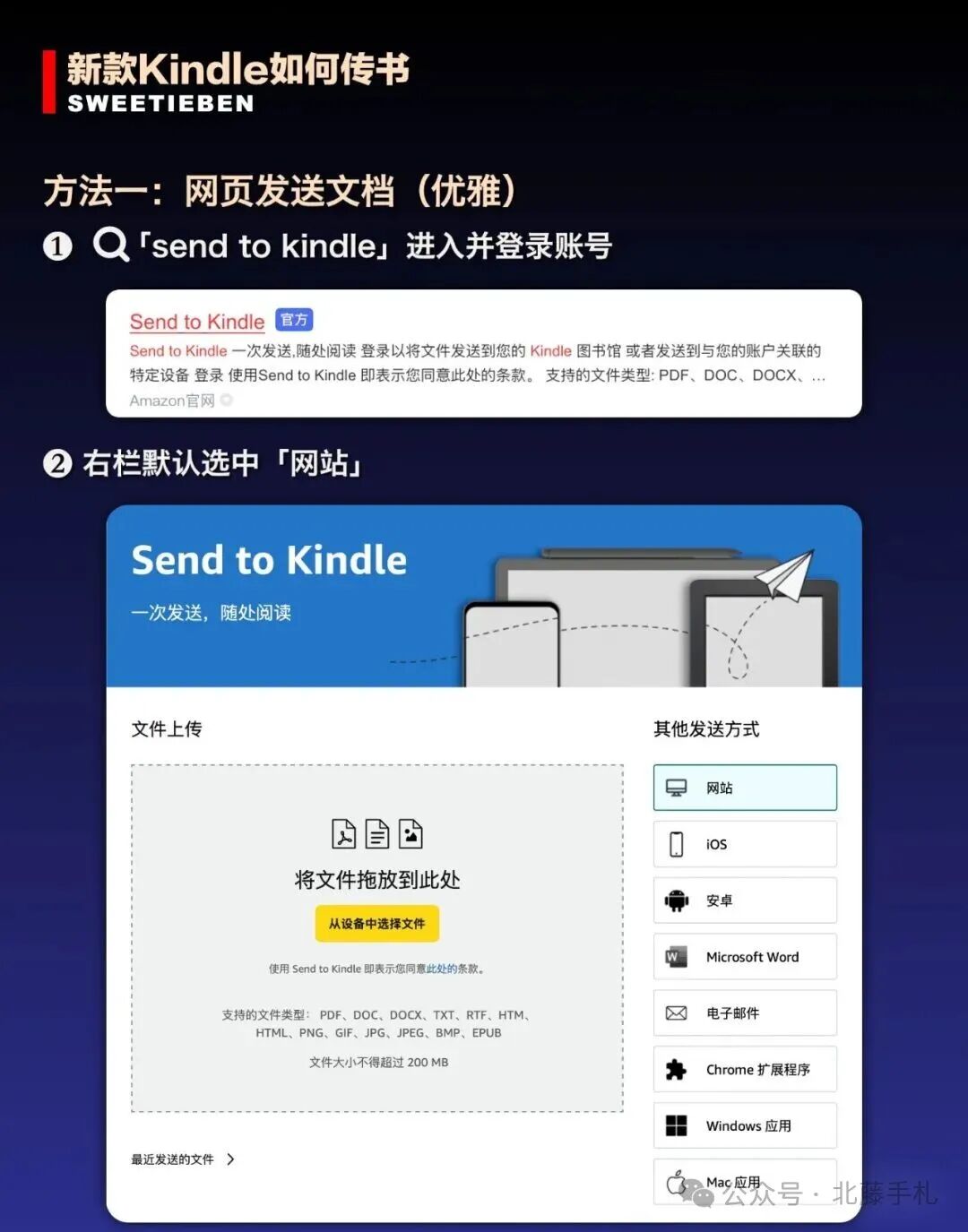
方法一:网页发送文档
❶ 🔍「send to kindle」进入并登录账号
❷ 右栏默认选中「网站」
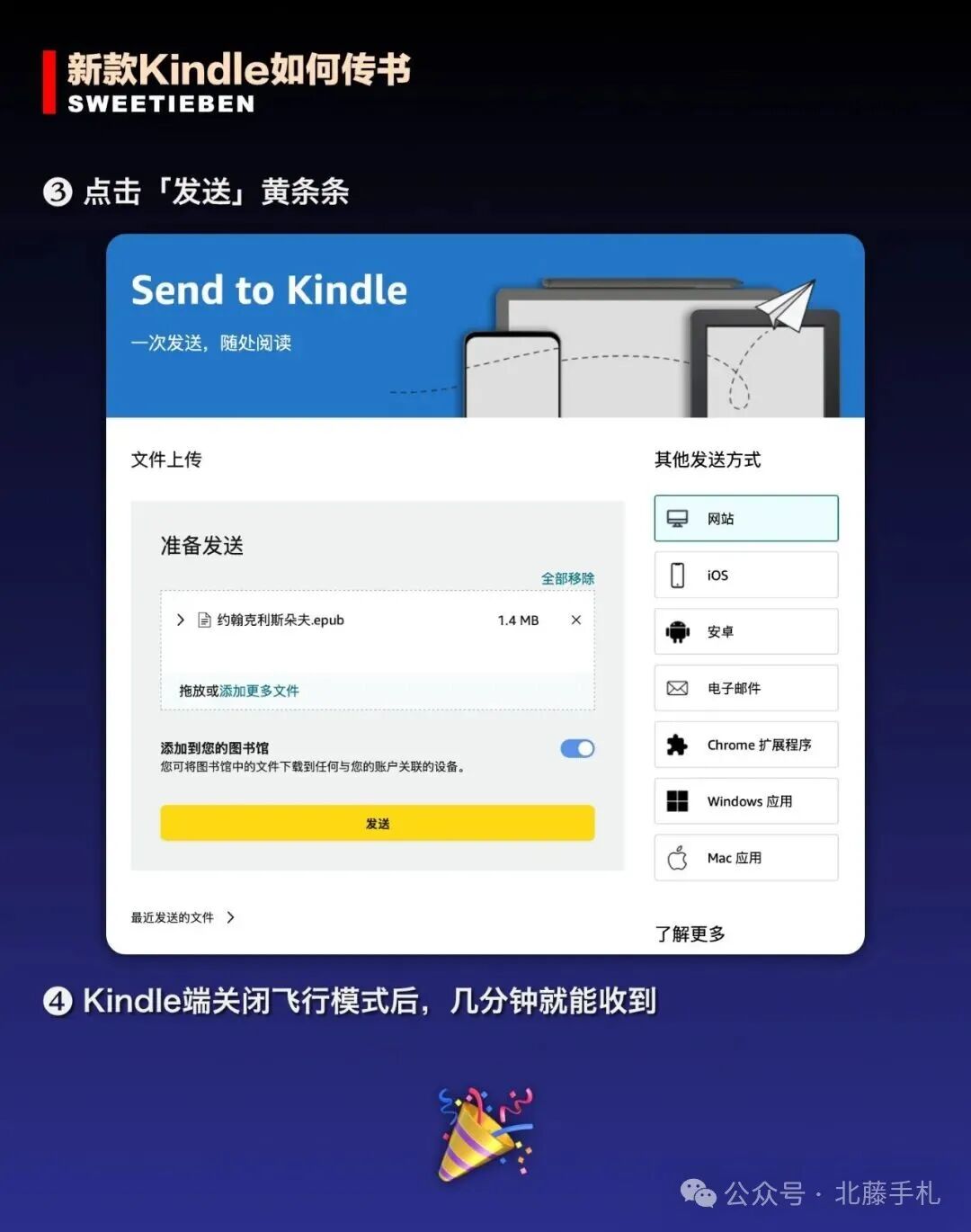
❸ 点击「发送」黄条条
❹ Kindle端关闭飞行模式后,几分钟就能收到
方法二:USB连接Mac
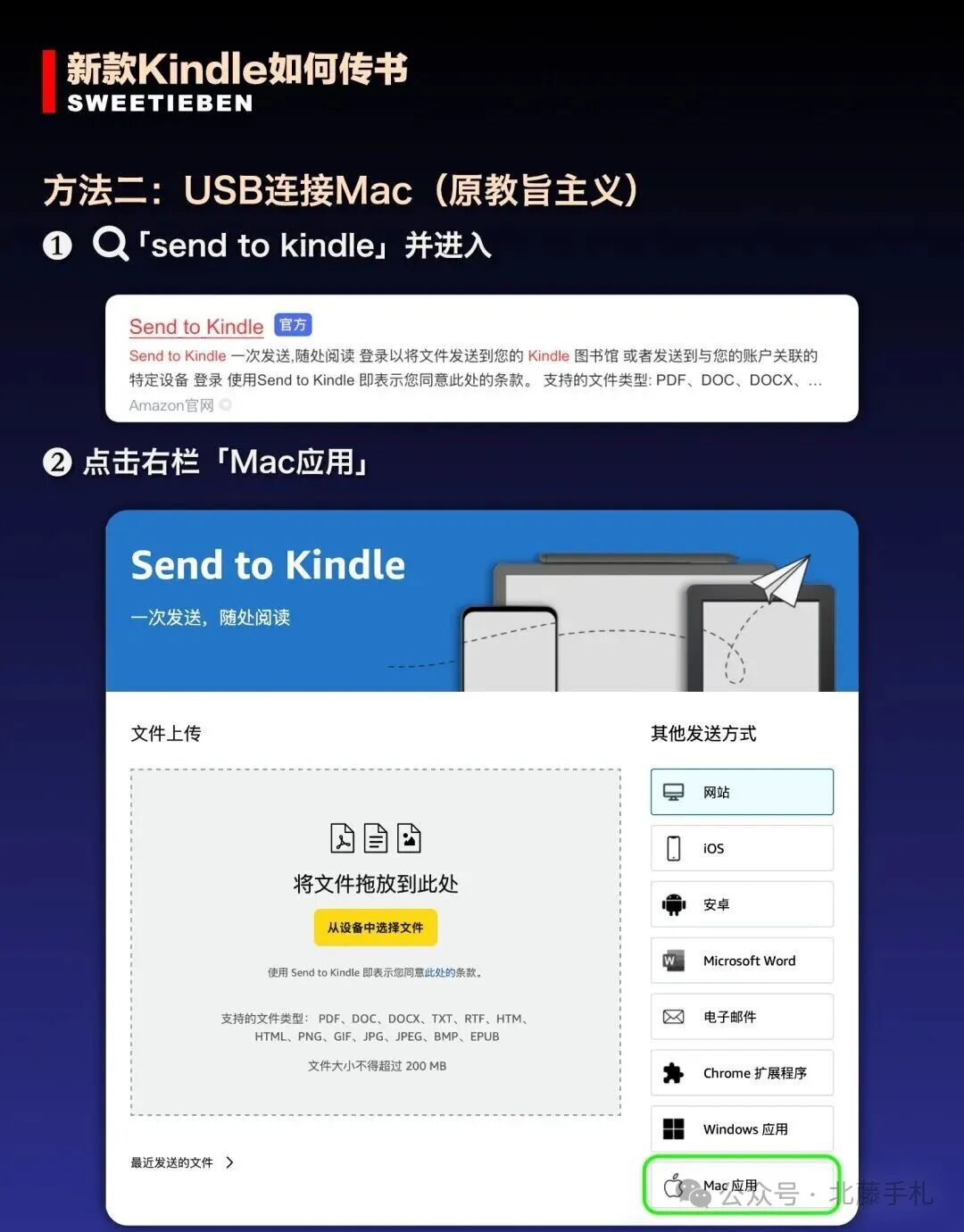
❶ 🔍「send to kindle」并进入
❷ 点击右栏「Mac应用」
❸ 点击第二项「Mac版 Send to Kindle 应用程序」
❹ 下载「Send to Kindle」并安装
❺ 会有2个App出现在你Mac
❻ 打开「USB File Manager」
➐ 用数据线连接上 Kindle
Kindle如何截屏:
两根手指同时点击Kindle屏幕对角线的角落(方向随意)
成功时屏幕会闪一下
Many book enthusiasts may have noticed that the newly released Kindle Paperwhite6 no longer supports transferring books via data cable.
So, how do you transfer books to the new Kindle?
I purchased a Kindle Paperwhite6 last year and found that the simple method of plugging in a cable to drag books was no longer possible, which was quite unexpected. So, how do you transfer books to the new Kindle?
Method 1: Send Documents via Web ❶ Search for "send to kindle" and log into your account. ❷ The right column defaults to "Website". ❸ Click the yellow "Send" bar. ❹ After turning off the flight mode on the Kindle, you will receive the file in a few minutes.
Method 2: USB Connection to Mac ❶ Search for "send to kindle" and enter. ❷ Click "Mac App" in the right column. ❸ Click the second option "Mac version Send to Kindle Application". ❹ Download and install "Send to Kindle". ❺ Two apps will appear on your Mac. ❻ Open "USB File Manager". ➐ Connect the Kindle with the data cable.
How to Screenshot on Kindle: Simultaneously tap two fingers on the corners of the Kindle screen (direction doesn’t matter). The screen will flash when successful.