
kindle 2024 不像旧版kindle那样,用数据线连上Mac 会自动在【访达】→【位置】显示【kindle】盘
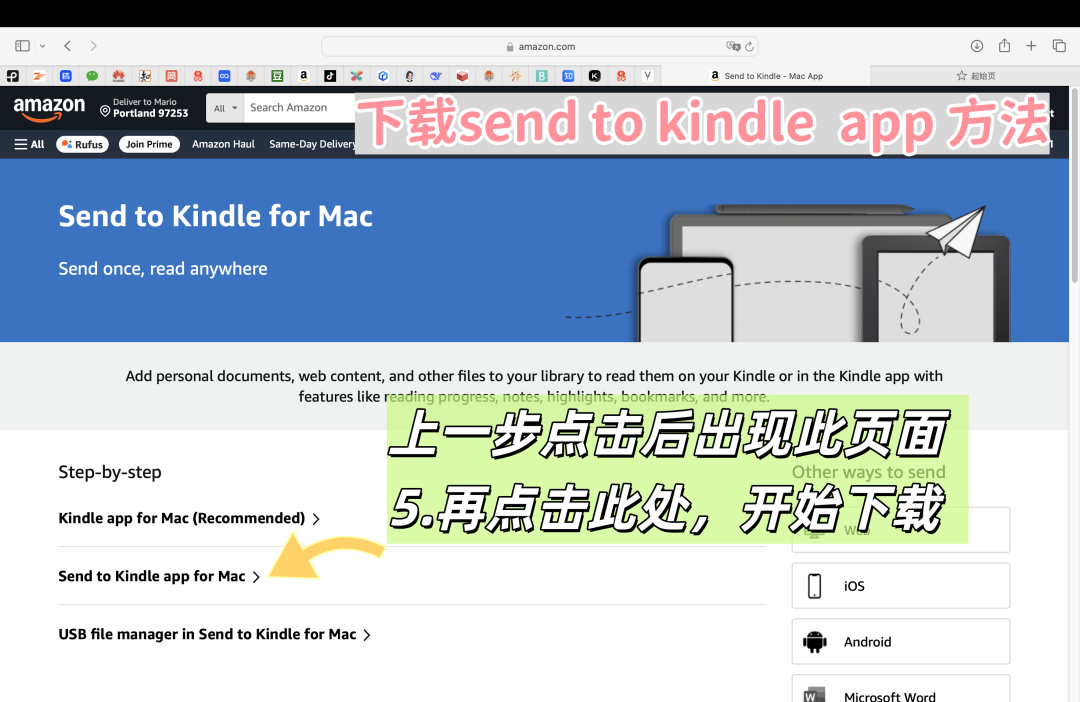
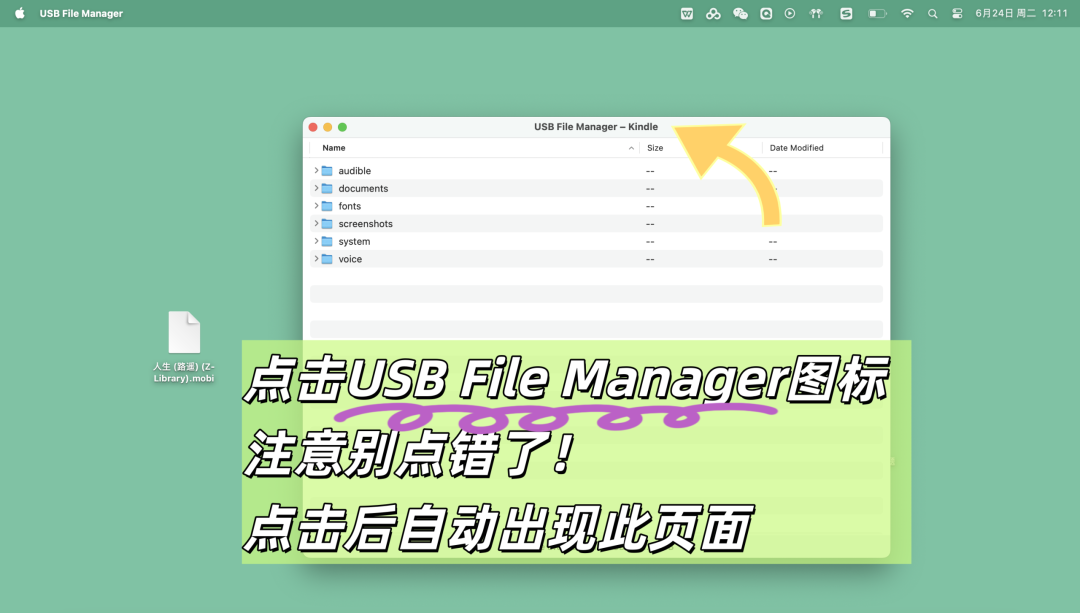
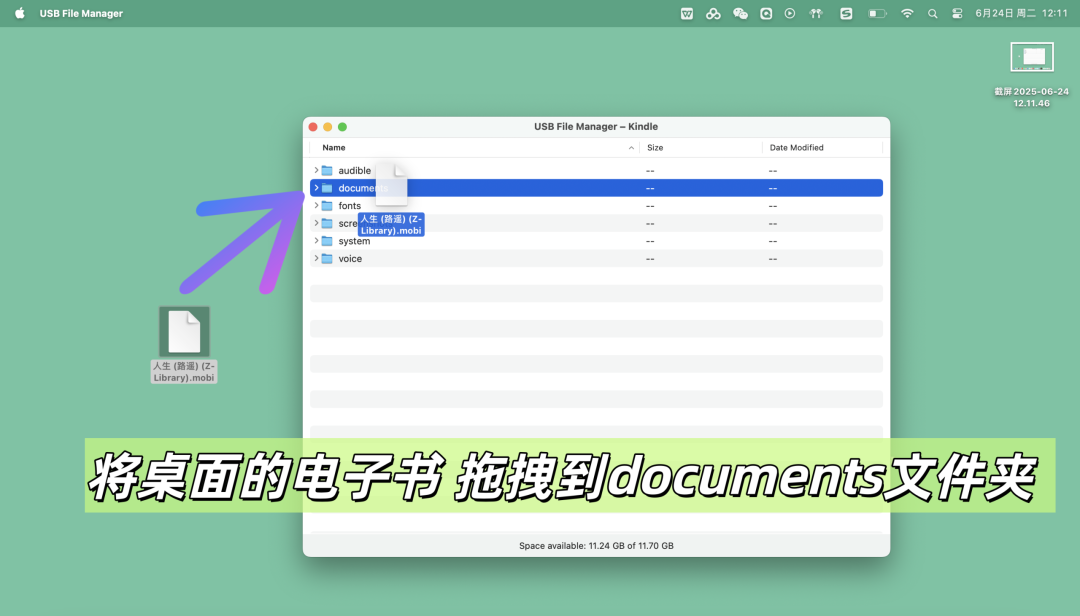
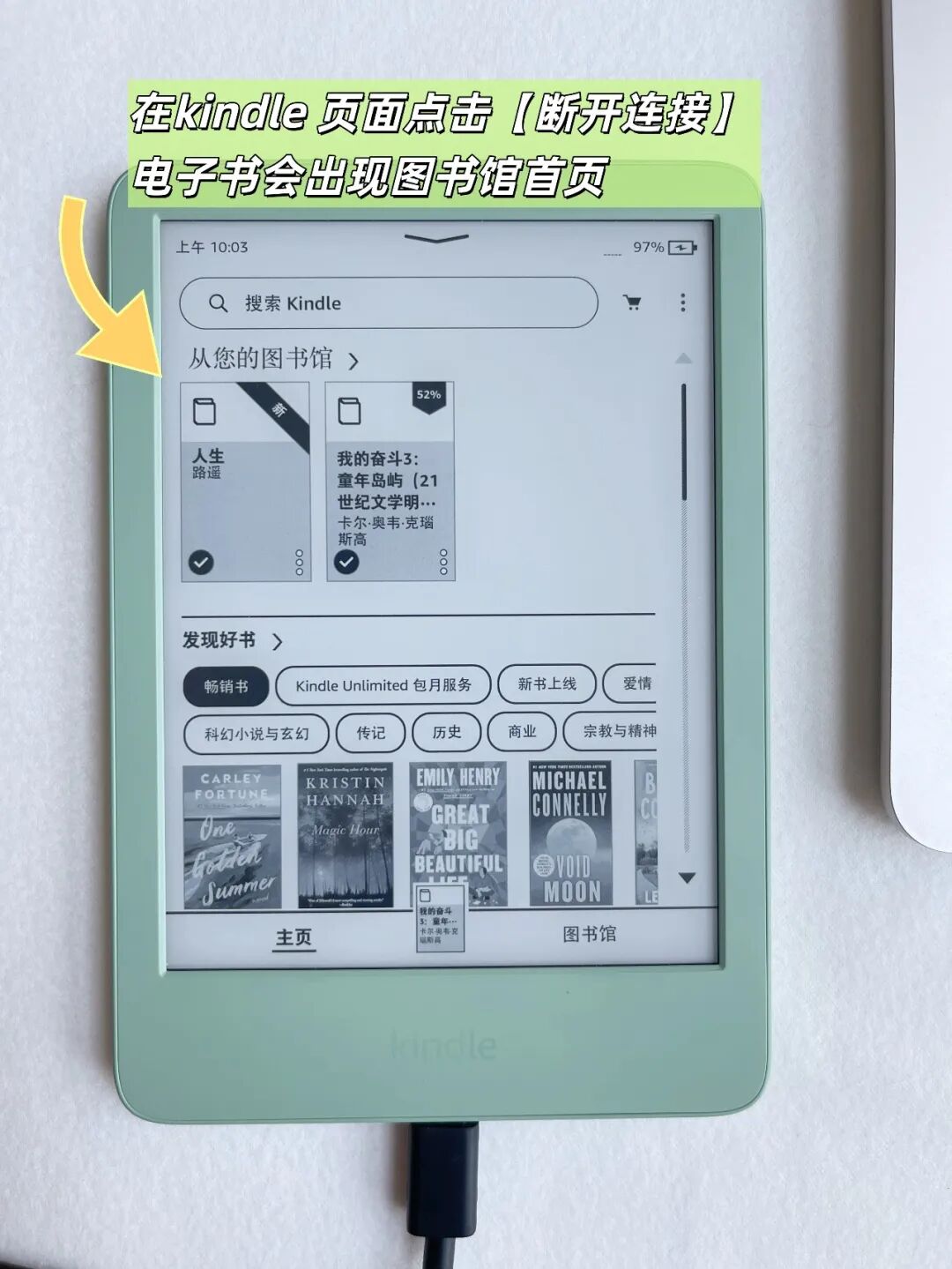
解决方法很简单!只要从亚ma xun网站下载一个【send to kindle app】,数据线连上后就能直接往kindle 2024里拖拽电子书
安装一次,以后能直接传,不用重复安装,下面分享安装干货↓↓↓

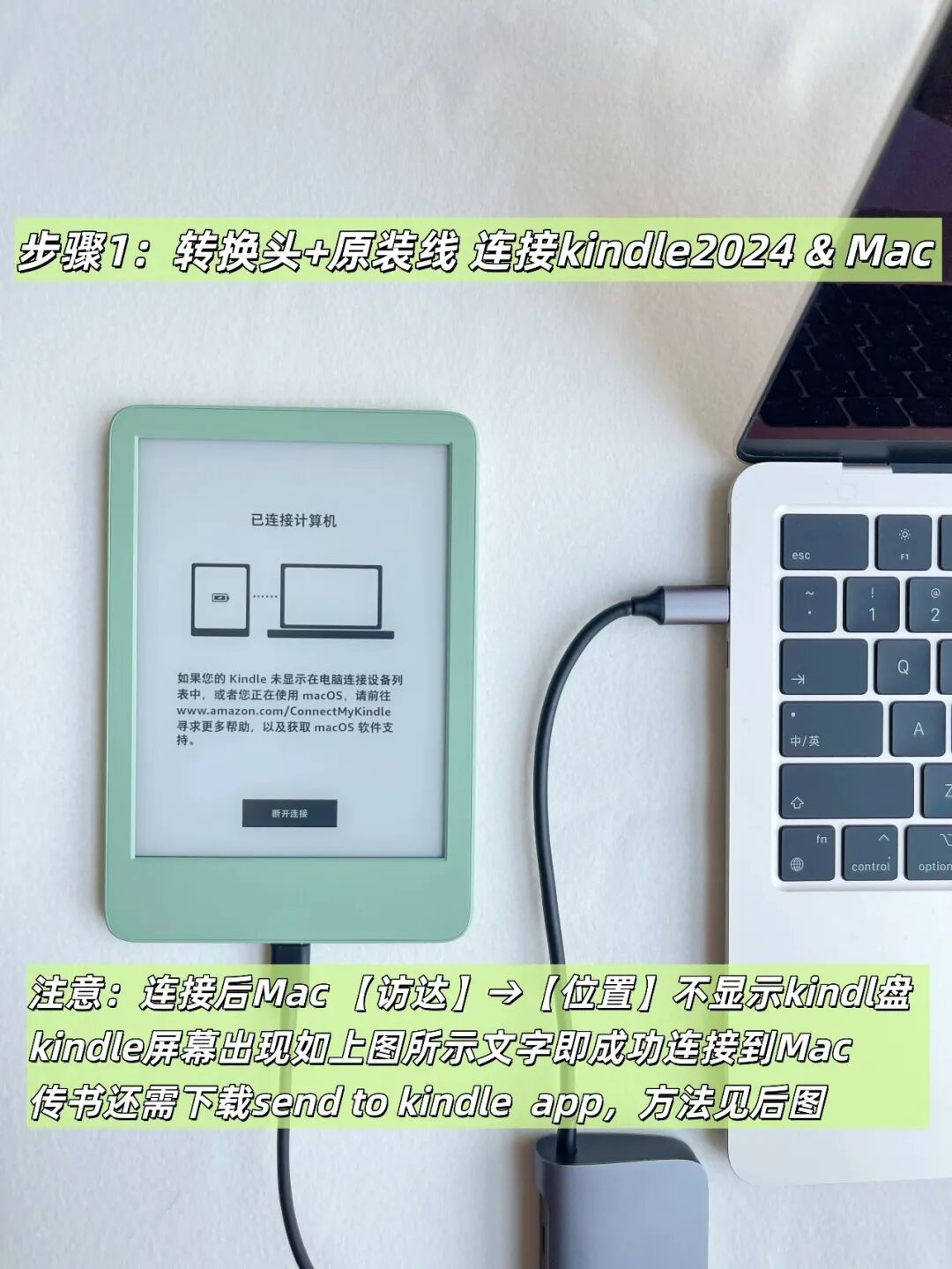
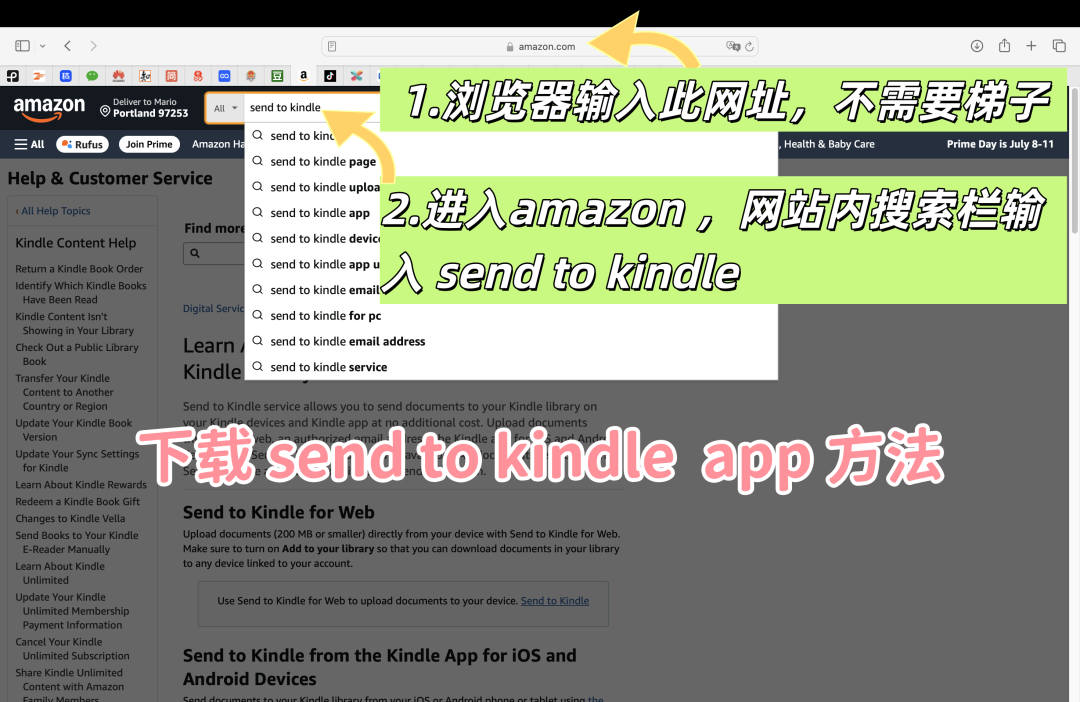
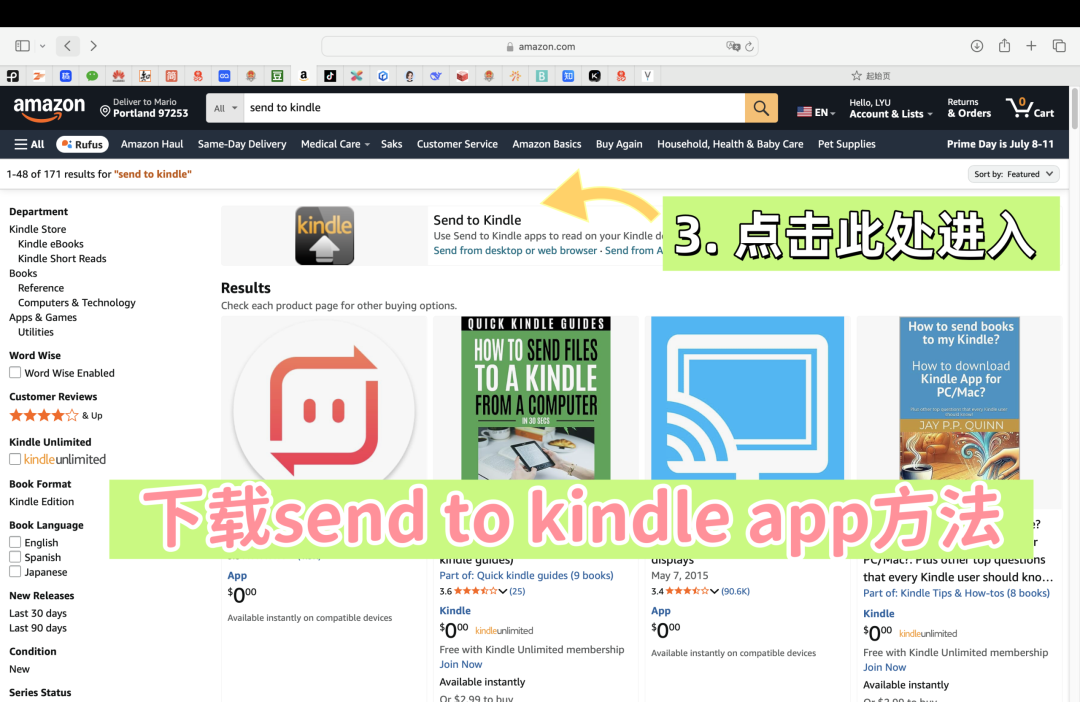
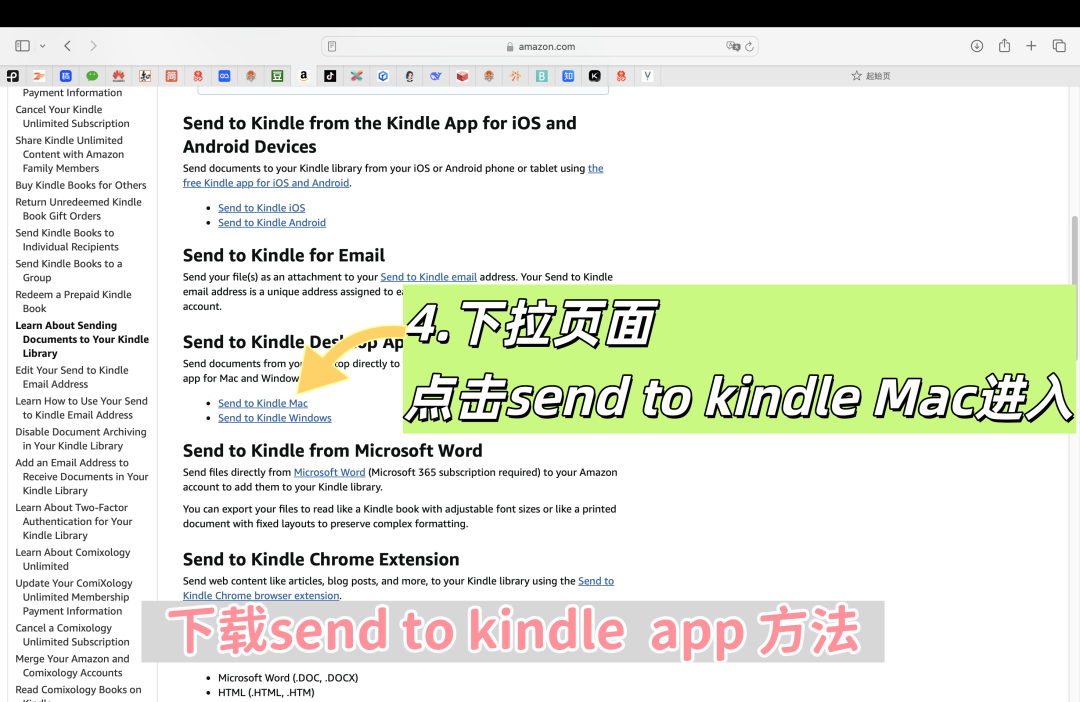
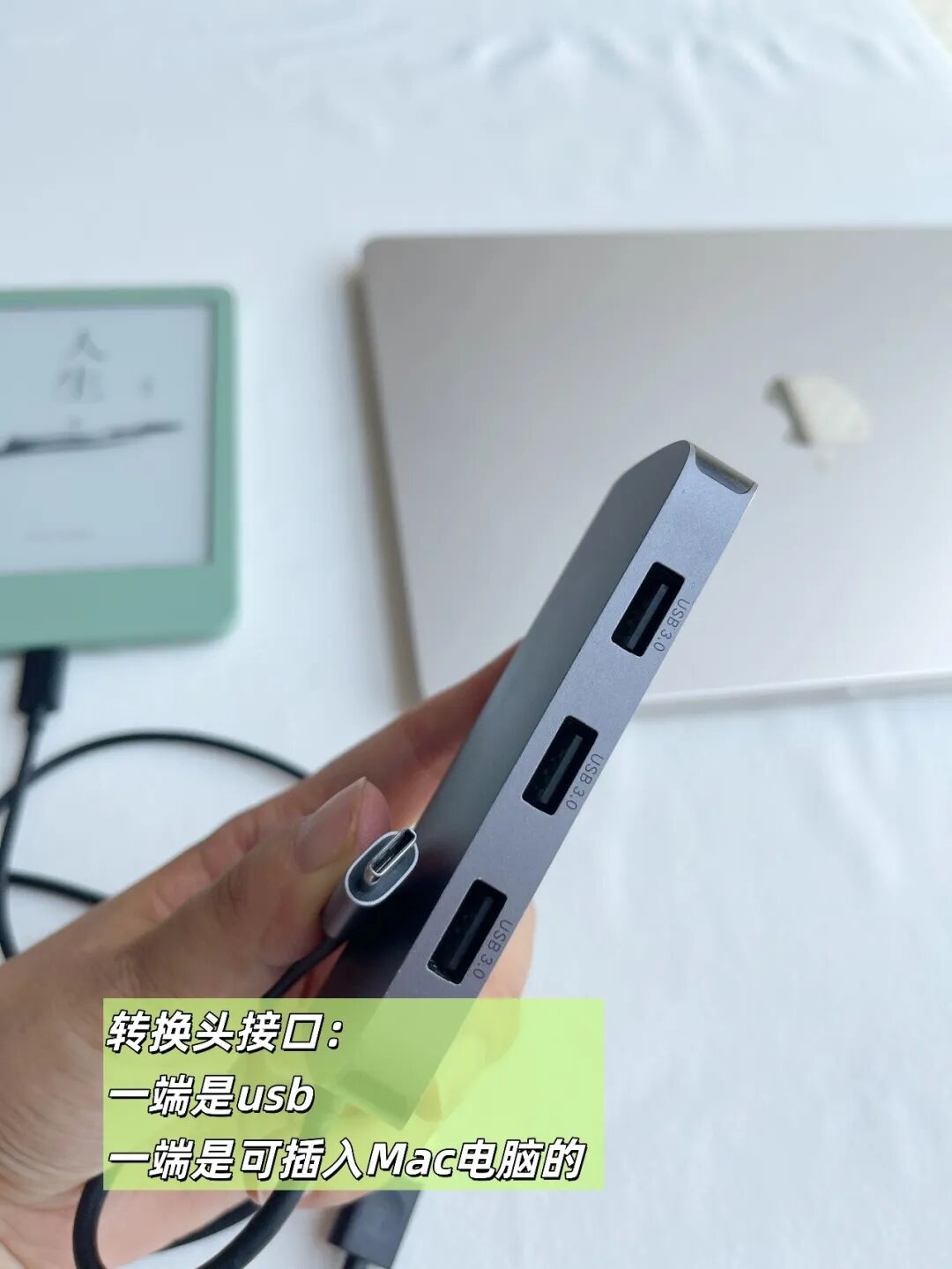
kindle &Mac 转换头样式↓↓↓
安装一次,以后能直接传,不用重复安装,非常便捷。
Unlike previous versions of Kindle, the 2024 edition does not display as a "Kindle" drive in the Finder's Locations when connected to a Mac via USB.
The solution is simple! Just download the "Send to Kindle" app from the Amazon website, and you can directly drag and drop e-books to the Kindle 2024 after connecting.
Install once, and you can transfer files directly in the future without needing to reinstall. Here are the installation details below.
[Step 1] Use the original data cable and adapter to connect the Kindle 2024 to the Mac (as shown in the image).
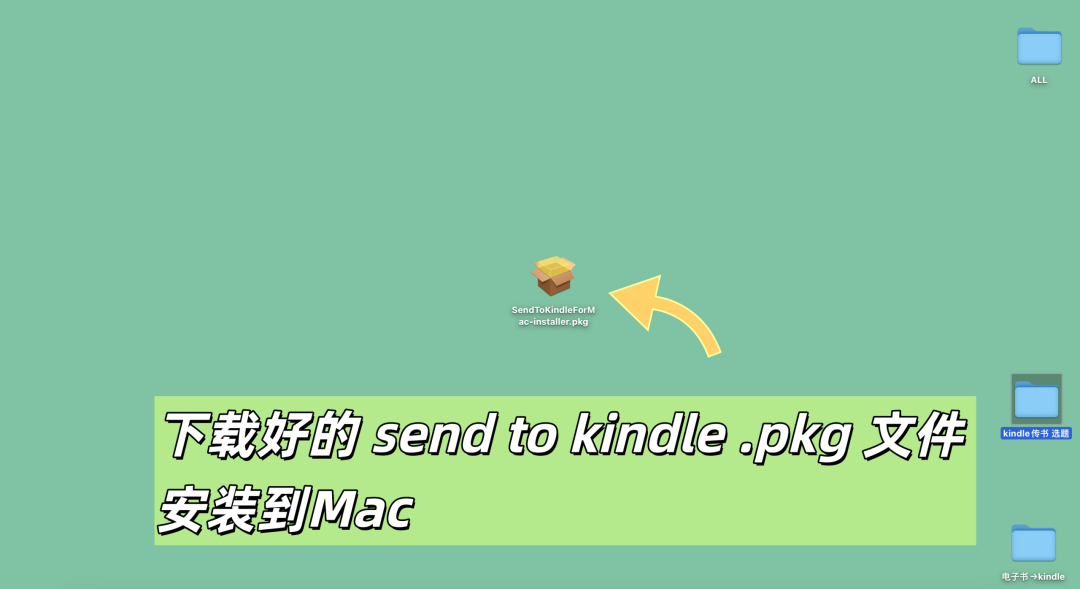
[Step 2] Download and install the "Send to Kindle" app from the Amazon official website (no VPN required) (as shown in the image).
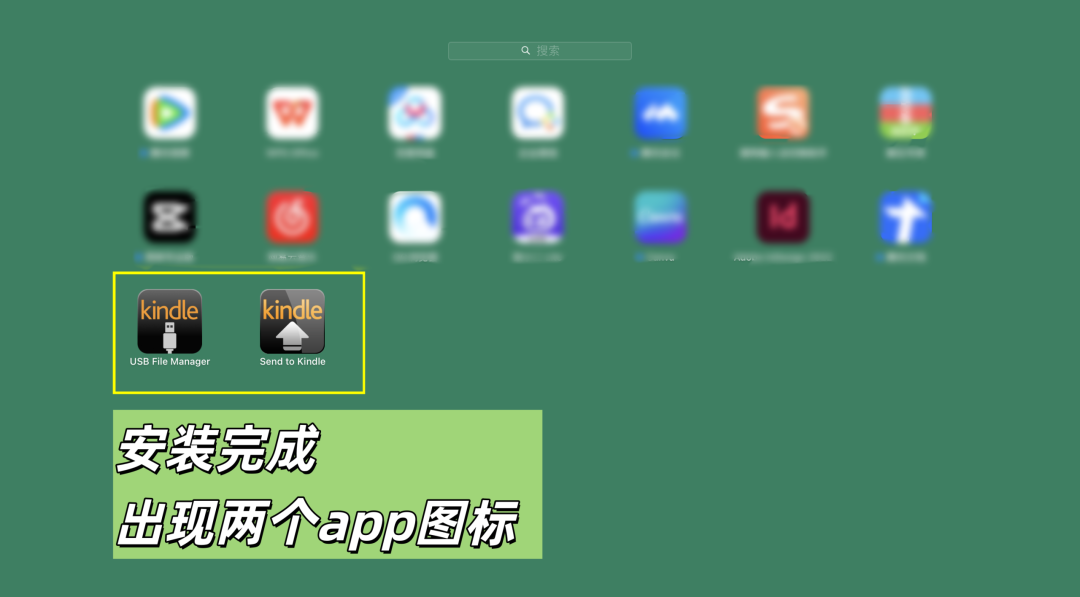
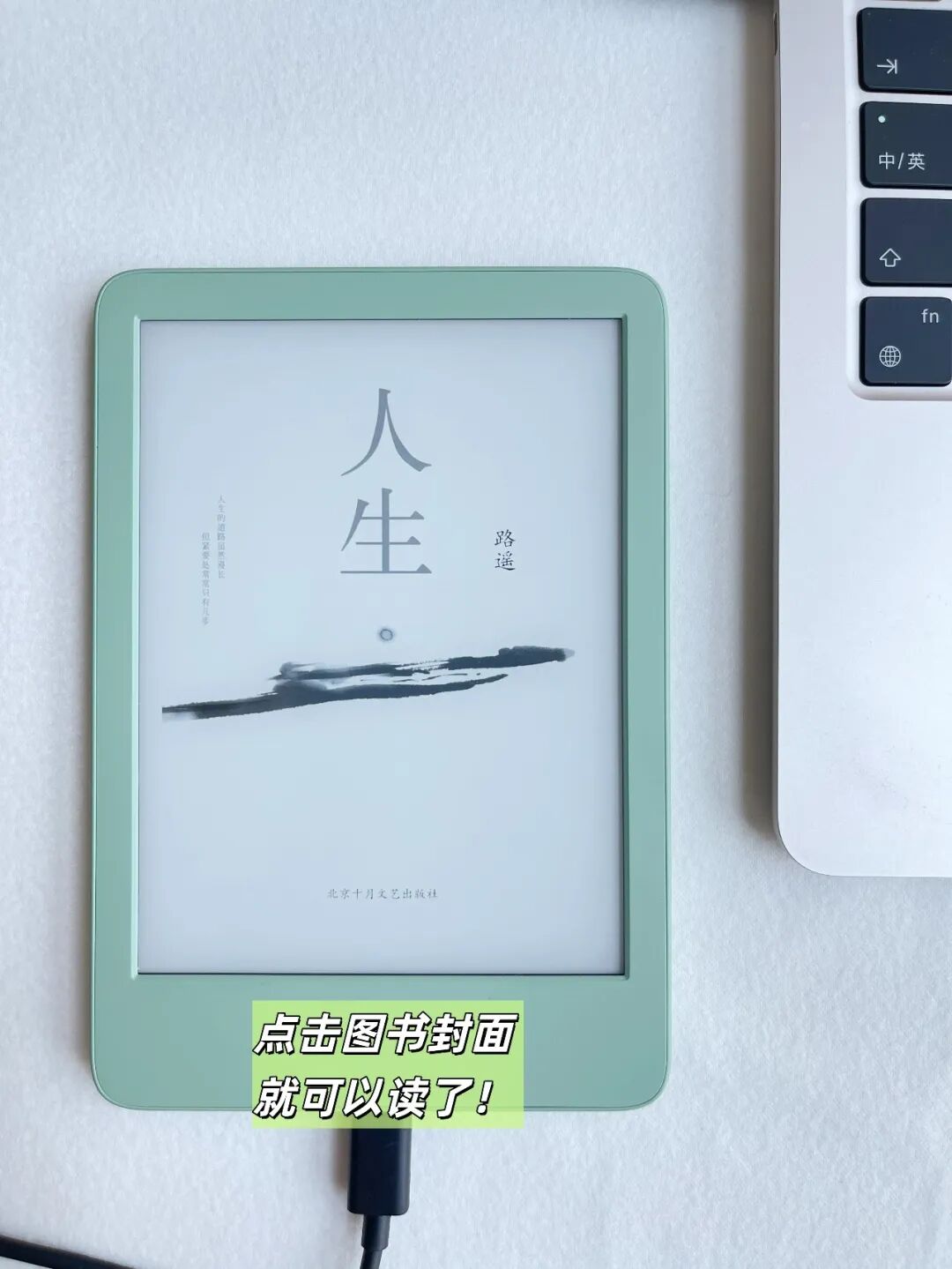
[Step 3] Install the downloaded "Send to Kindle" app and drag e-books to the Kindle.
Style of the Kindle & Mac adapter↓
Install once, and you can transfer files directly in the future without needing to reinstall, which is very convenient.