



-
屏幕:7.8英寸,300PPI -
处理器:8核 -
存储:4+64G/128G组合 -
麦克风:4MIC阵列 -
电池:3000毫安 -
手写笔:标配8192级压感B5电磁笔 -
尺寸重量:整机重量279克,厚度5.3毫米 -
系统:运行安卓14开放系统



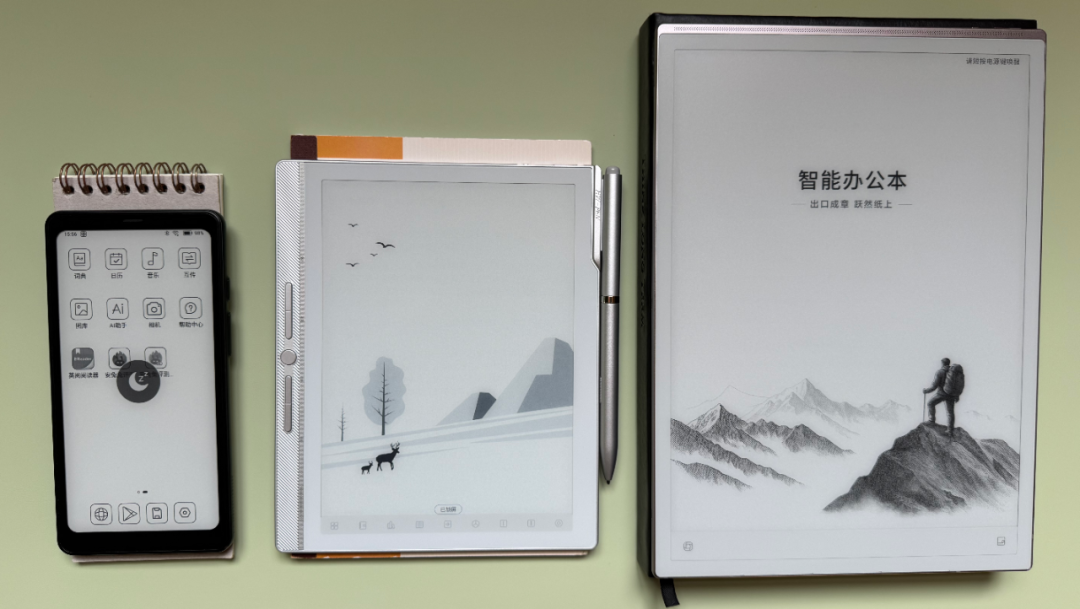
Notify me immediately when the meeting starts. Among the three notebooks below, which one would you instinctively choose?
My answer: The middle one. B5 size, not too big, not too small, just right.
The sizes of these three notebooks precisely correspond to the 6.13-inch, 7.8-inch, and 10.65-inch handheld e-ink devices that support handwriting.
From buying the N10mini first generation in 2022 to now handling the N10mini second generation, this review spans over 3 years.
Breaking the Conventional Review Perspective
Today's review breaks the mold. No piling up of parameters, but instead, stepping into the shoes of the user.
I will also demonstrate the absolute power of "usage scenarios" in selecting an e-ink device.
I have repeatedly said: usage scenarios trump all parameters, or even more accurately, scenarios override everything.
True efficiency isn't won in a race of specs but is rooted in the scenario itself.
Only those who grind can understand the grind.
As a niche field, many e-ink products still lean towards a leisurely lifestyle scenario.
Promotional images often show someone lounging in a café with the device, reading a book. In reality, the true grinders are eating their breakfast on the go, rushing to catch the next subway.
For the majority of office workers, the most suitable size is not 6 inches or 10.3 inches, but 7.8 inches. This size perfectly balances reading, handwriting, and light office work.
6 inches and 7 inches are too small, often paired with inferior capacitive pens rather than electromagnetic ones; 10.3 inches is too large, losing its portability.
A good product should not be a chic accessory in a café, but a relief for the office desk.
Unfortunately, various brands are not paying enough attention to this size range. Currently, only Hanwang's N10 mini is undergoing iteration.
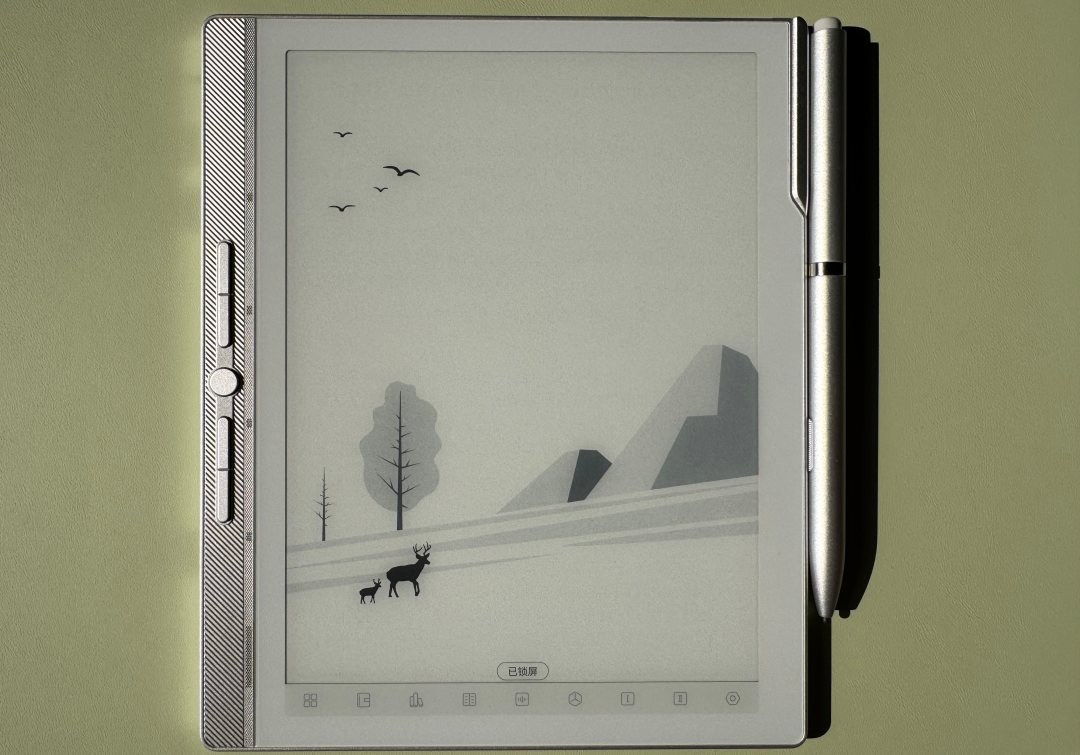
It is also the only product that has fully removed the screen layers, specifically the capacitive layer and the light guide layer.
My stance on reducing layers is clear: if you're going to do it, go all the way. To maximize display clarity and whiteness, all layers must be removed.
The reason the Boox NoteX5 mini is criticized is that it uses a Carta1300 screen with a naturally darker background, yet it only removed the front light layer, rendering the approach meaningless.
Core Parameters of Hanwang N10mini Second Generation
A quick rundown of the core hardware and software parameters of the N10mini second generation:
Screen : 7.8 inches, 300 PPI
Processor : 8 cores
Storage : 4+64G/128G combination
Microphone : 4-MIC array
Battery : 3000 mAh
Pen : Standard 8192-level pressure sensitivity B5 electromagnetic pen
Dimensions/Weight : 279 grams, 5.3 mm thick
System : Android 14 open system
One of Hanwang's standout features is their self-developed electromagnetic pen technology. (B5 electromagnetic pen, 8192 levels of pressure sensitivity, no charging required)
This is why many competitors are vague about their pen specifications. As long as this purely domestic self-developed technology exists, companies purchasing Japanese Wacom technology will have to be more reserved, as they don't own the core technology.
Realistic Scenarios for the Office Worker
The key to choosing an e-ink device is integrating it into your workflow. If you don't have a clear use case, it's probably best to save your money.
What do office workers need? A notepad that is always ready, where you can jot down ideas or requirements instantly.
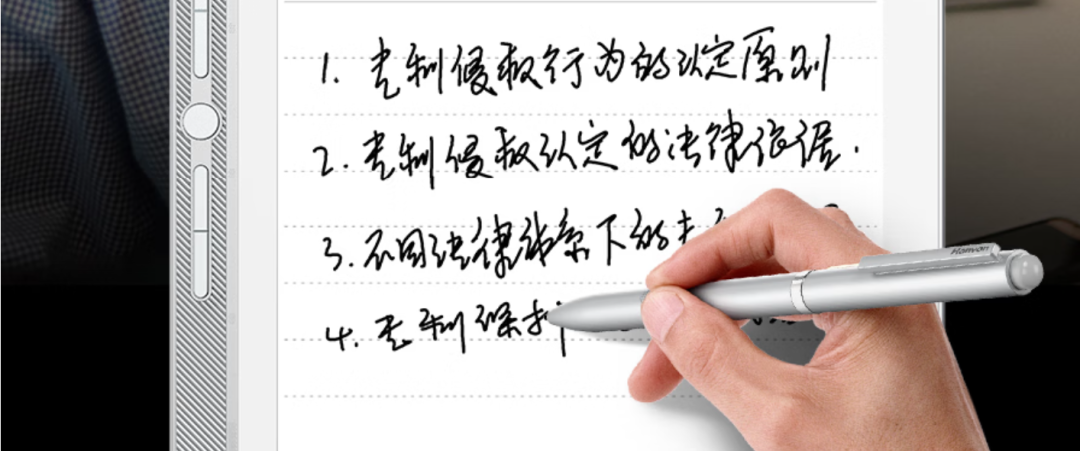
What do office workers lose the most? Pens and lighters. The N10mini second generation features a physical pen slot on the body, eliminating the anxiety of losing the pen.
Compared to side-mounted magnetic pens, which look strong but fall off at the slightest bump, this is a much more robust solution.
What do office workers dread? Long, boring meetings followed by having to write minutes.
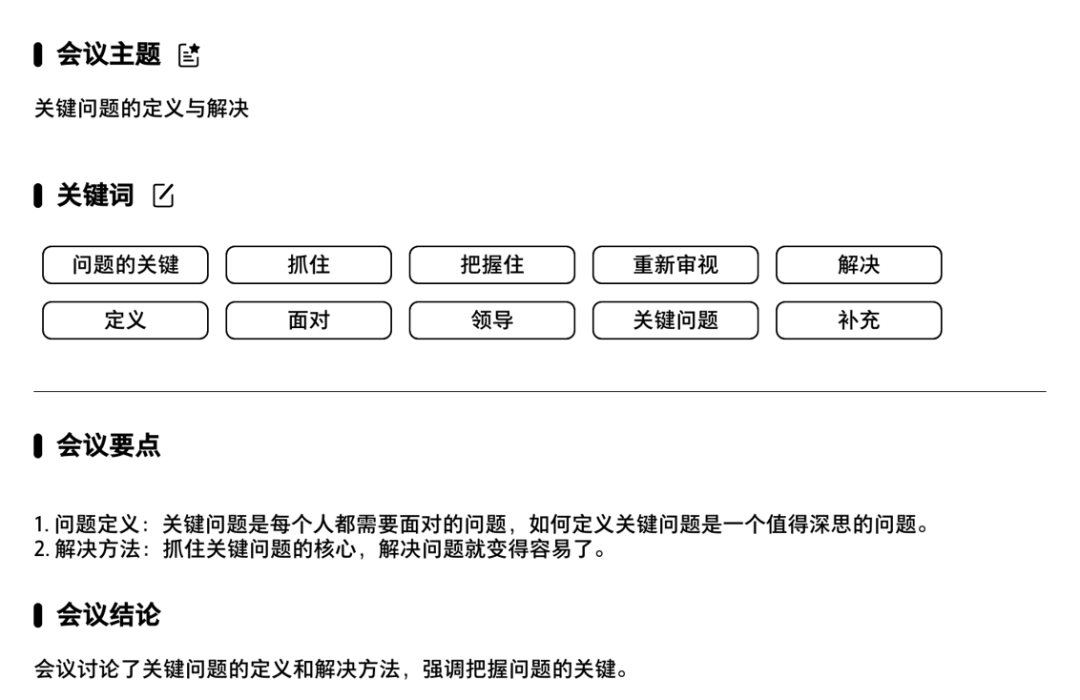
The reality is that you get stuck writing the minutes. With the N10mini, you can open the voice-to-text function and record while writing, even identifying multiple speakers.
If it's a confidential meeting, a switch next to the power button physically disconnects the network.
Afterward, you can use the AI to generate a concise summary, ensuring you've documented the work.
I tested the transcription quality with a rambling sentence, and the logic remained clear.
What annoys office workers? Being asked to produce both a paper copy and a digital version of the same document.
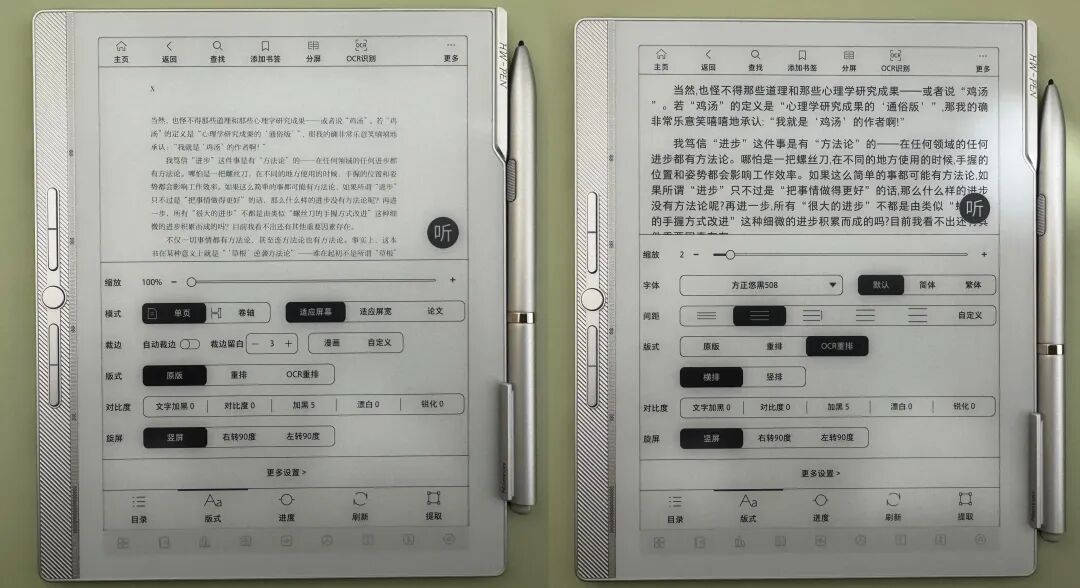
This "polishing a turd" is unnecessary. Hanwang's OCR function allows you to rearrange the text from a PDF and copy/paste it directly, bypassing the need for a separate digital draft. (Left: Original faint PDF; Right: Clear, copyable text)
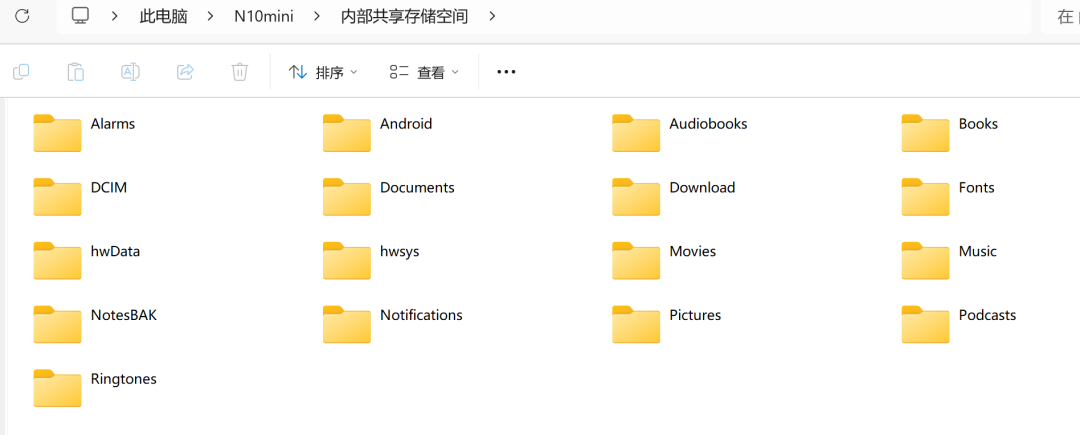
Moreover, in an office environment, you likely have a computer nearby. Connecting the device with a USB cable is the most convenient way to transfer files.
Advantages and Trade-offs of Reducing Layers
The primary advantage of reducing layers is display quality.
Hanwang was the pioneer in claiming "white paper-like" screens. Without the extra layers, the text appears closer to the surface, making the screen appear white.
Once the screen is as white as paper, the industrial feel of the electronics fades away.
Because there is no capacitive layer, concerns about accidental swipes or presses are eliminated. However, this comes at a cost: touchscreen functionality is lost, and you must rely solely on the electromagnetic pen and mechanical buttons.
The first generation went overboard with 9 buttons, which made operation clumsy.
The second generation listens to feedback, reducing the number of physical buttons to 5 and adding 9 virtual shortcut buttons at the bottom of the screen, making the operation much smoother.
While the lack of a front light can be an issue in low-light settings, the well-lit environments of offices and conference rooms mitigate this drawback, allowing the benefits of the reduced layers to shine.
Rich Built-in Resources
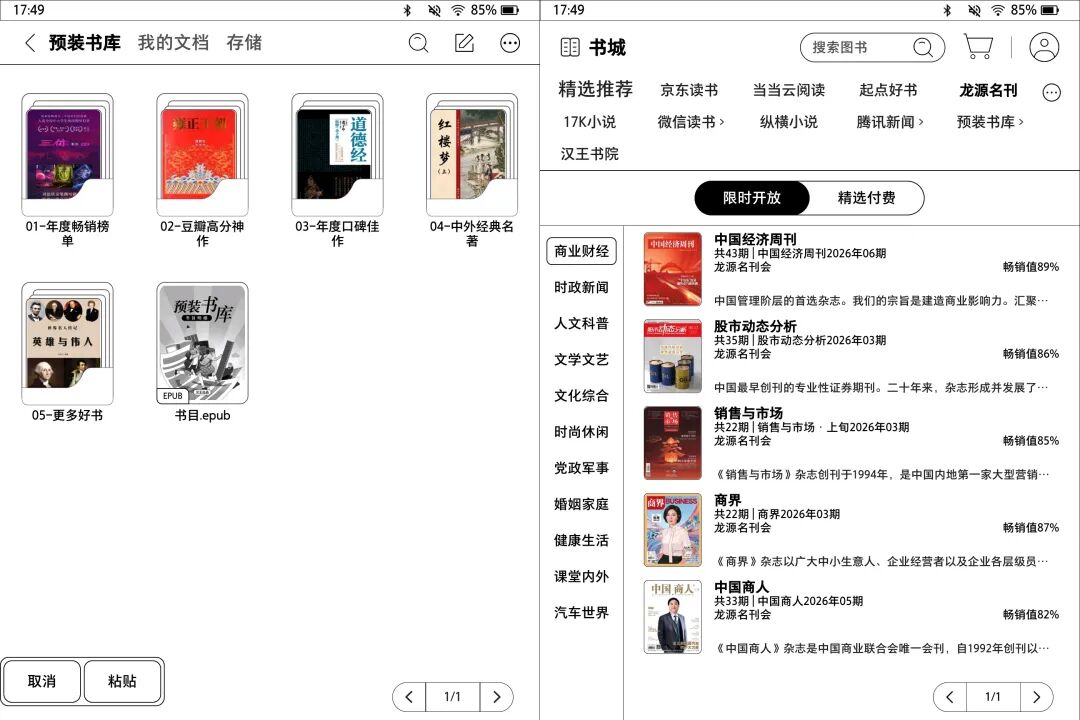
For those who hate the hassle of finding content, Hanwang comes preloaded with over 1300 popular books and offers 40+ free periodicals every month.
For a more in-depth look at the system and third-party app performance, you can refer to the review of the Hanwang Clear7.
Finally, the N10mini second generation leaves us with a teaser: the specifications and origin of this 7.8-inch screen may hint at a future shift in the e-ink supply chain.
Finally, the Hanwang N10mini II leaves a massive mystery: the specs and origins of this 7.8-inch screen... perhaps hinting at a new variable in the e-ink supply chain...