
原文链接:https://mp.weixin.qq.com/s/a_0eep78Hlk7gepyl4lJGA
从6英寸口袋机到10.3英寸办公本,我把Bigme全家桶摸透了。这篇文章不讲虚的,只说真实感受。
先交代一下背景,我手里攒过三台墨水屏设备:第一台是十多年前的 Kindle Keyboard,后来换了 Kindle Paperwhite,再后来入了国产开放系统的黑白墨水屏。今年年初,我终于咬牙上了彩色墨水屏——Bigme B10。

为什么拖了这么久?因为早期彩墨屏我摸过朋友的——色彩淡得像水彩画褪了色,翻页残影让人头晕,价格还比黑白贵一倍。那时候我的结论很直接:“再等等。”
这一等,等到了 2023 年 Kaleido 3 普及。再去线下店摸真机,发现色彩饱和度、刷新速度、残影控制都脱胎换骨。这才下单。
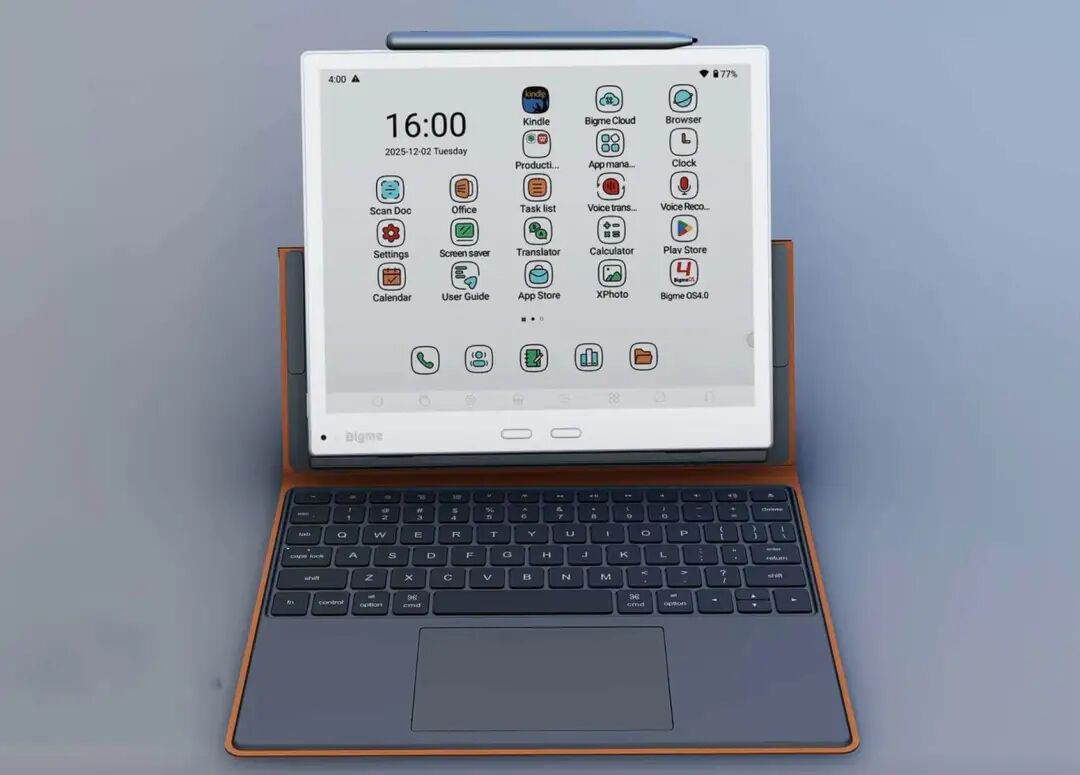
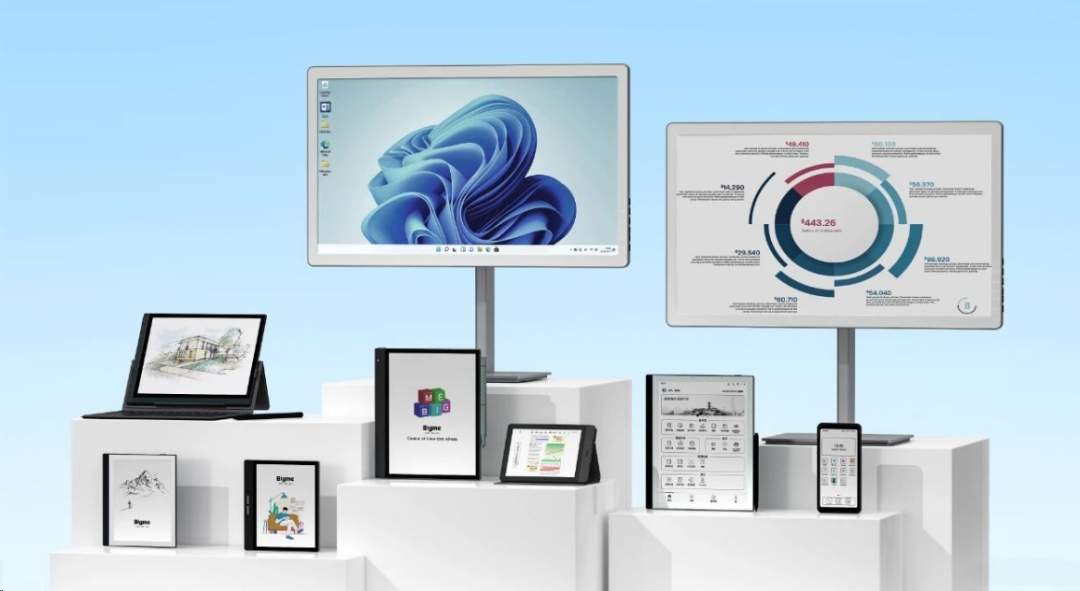
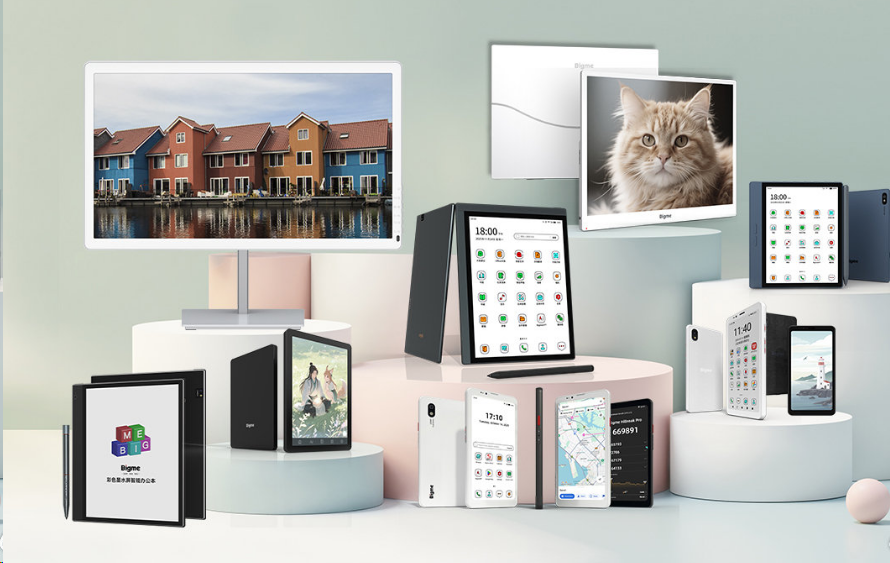
半年下来,我不仅入了 B10,还陆续体验了 Bigme 的 HiBreak Pro Color(彩墨手机)、B7 Pro(7 英寸手写本)和 B6(6 英寸口袋机)。可以说,Bigme 是目前彩墨屏产品线最全的品牌之一,从 6 寸到 10.3 寸,从纯阅读到可通话可手写,都有覆盖。
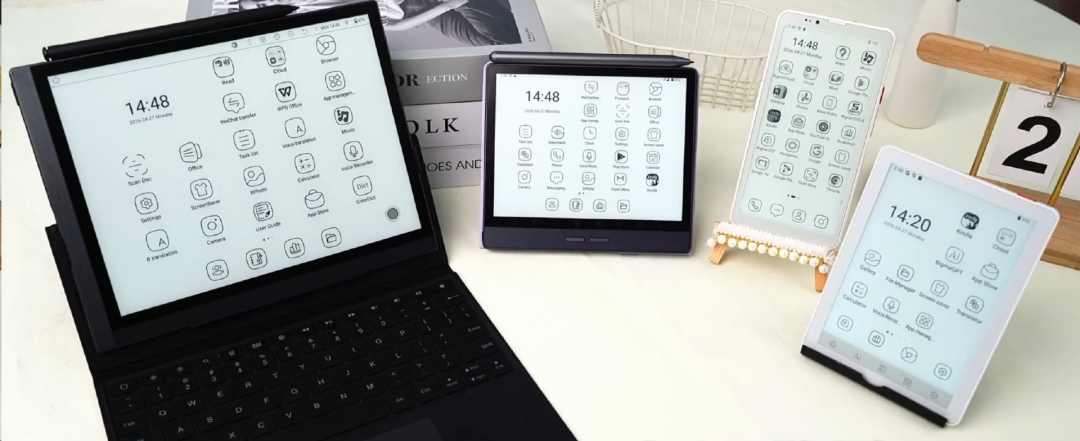
这篇文章会把每一款的真实体验、适用场景、优缺点全部摊开。如果你正在纠结“要不要上彩墨”“买哪一款”,看完应该会有答案。
第一章:彩色墨水屏发展到哪一步了?
从“不能用”到“愿意用”
彩色墨水屏的研发和黑白屏几乎同时起步,但因为技术难度太高,一直关在实验室里。2010 年 E Ink 推出第一代商用彩色屏“Triton”,结果色彩淡、刷新慢、贵得离谱,市场反响冷淡。
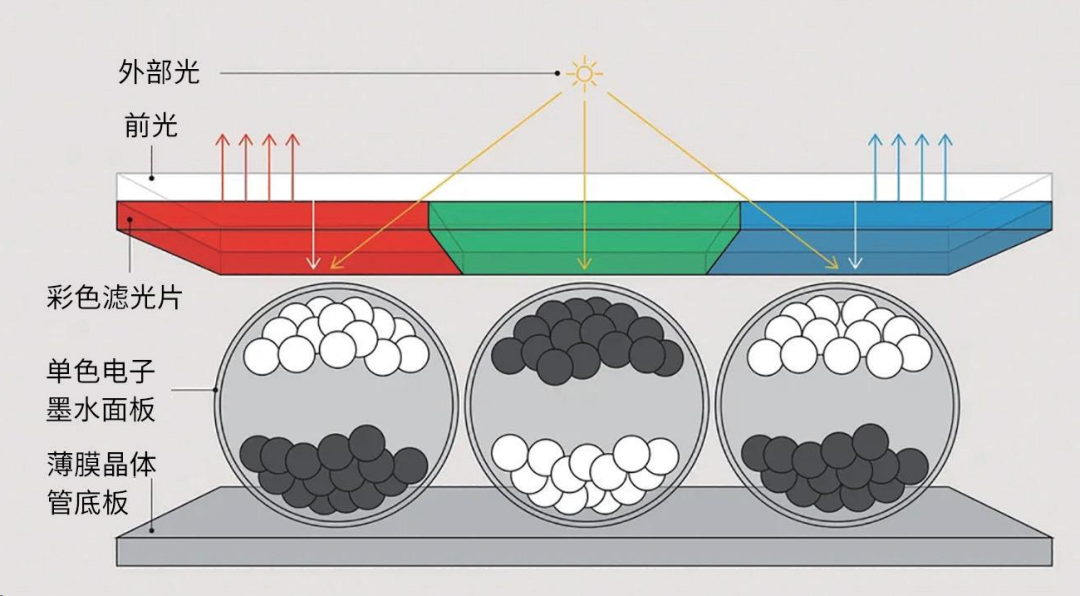
真正的转折点是 2019 年的 Kaleido 架构。它做了一个聪明的选择:不重新发明轮子,而是在成熟的黑白屏上贴一层彩色滤光片。2021 年 Kaleido Plus、2023 年 Kaleido 3,到如今 4096 色,彩色饱和度比初代提升近一倍,残影控制也达到了可用水平。
国内厂商抓住了这个窗口。2025 年上半年的数据显示,彩色电纸书出货量同比增长超过 60%。每卖出 10 台墨水屏设备,就有一台是彩色的。这个数字说明一件事:彩色不再是极客的玩具,而是真实存在的需求。
Kaleido 3 到底行不行?(说人话版)
很多人问我:Kaleido 3 和手机屏幕比怎么样?
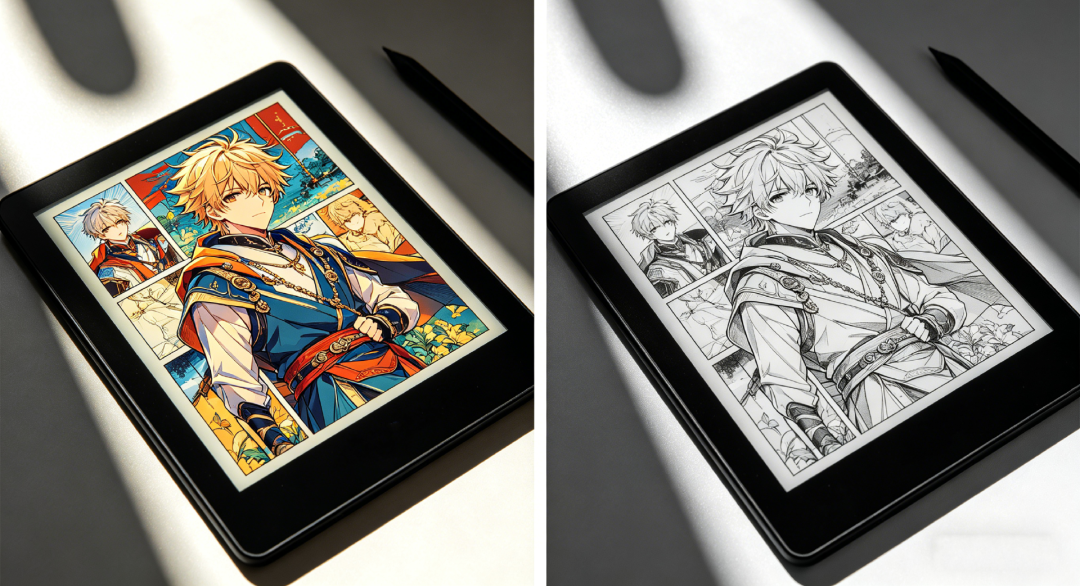
我的回答是:别比。手机屏幕是发光体,墨水屏是反射体。前者像看灯泡,后者像看纸张。Kaleido 3 的彩色饱和度大概相当于报纸彩色版的水准,比不上铜版纸杂志,更比不上 OLED。但它不伤眼——没有频闪,没有蓝光,看一整天眼睛不酸。
Kaleido 3 的具体参数:黑白模式 300 PPI,彩色模式 150 PPI,可显示 4096 种颜色。看纯文字时切换黑白模式,文字锐利度和顶级黑白墨水屏一样;看彩色内容时切换到彩墨模式,会有轻微颗粒感,但看漫画、图表、杂志完全够用。
还有一个客观事实:Kaleido 3 的屏幕底色比黑白屏暗一些,因为彩色滤光片会挡光。所以光线不足时需要开前光。好在现在的双色温前光调节很细腻,开一点暖光就能抵消暗感,不影响“纸质感”。
另外一条技术路线:Gallery
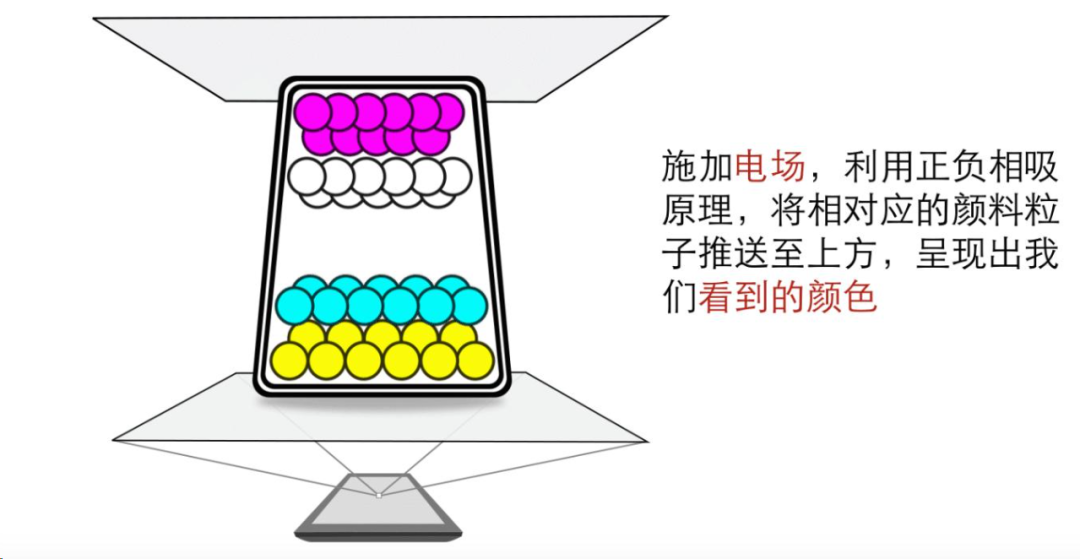
顺便提一句,还有另一种技术叫 Gallery 方案。它不用滤光片,直接在胶囊里放青、品红、黄、白四种颜料颗粒,色彩更真实,没有分辨率损失。但刷新速度慢——翻一页要几百毫秒,不适合快速阅读。所以目前主要用在电子广告牌、艺术画框等静态场景。阅读器用户暂时不用惦记它。
一句话总结:日常看漫画、刷 PDF、做批注,Kaleido 3 够用了。想体验艺术级色彩,再等两年。
第二章:选购彩墨屏,先搞清楚这三件事
你是这三类人吗?
彩墨屏不是人人都需要的。下面三类人用了会有明显提升:
-
漫画/杂志/绘本爱好者:彩色分镜、角色肤色、场景光影,不用靠黑白灰脑补。拿 B10 看《灌篮高手》完全版彩页,那种感动黑白屏给不了。 -
办公/学术党:批注 PDF 时用不同颜色高亮重点,扫一眼就知道优先级。审合同、改论文,彩色批注效率至少提升 30%。 -
带娃家长:给孩子看带地图、科学图解、绘本的电子书,彩色能帮助理解记忆,而且比 iPad 护眼得多。
如果你只读纯文字小说,或者主要用听书功能,那没必要多花几百上千元上彩墨。黑白屏文字更锐利(300 PPI vs 150 PPI),续航更长,价格更实惠。

三个核心指标,盯紧就行
市面上的彩墨屏参数眼花缭乱,但真正决定体验的就三个:
-
尺寸:看漫画、PDF、彩色杂志,直接上10.3英寸。7英寸及以下的便携机型,适合通勤随手翻翻,但看跨页漫画或A4文档会频繁缩放,体验憋屈。 -
PPI:黑白模式不低于250,彩色模式不低于150。低于150的不要买(老款Kaleido或杂牌方案会有这种坑)。Kaleido 3统一是黑白300/彩色150,达标。 -
操作系统:一定要开放安卓。因为彩色阅读资源分散在各个App里——B站漫画、微信读书、京东读书、知网研学……封闭系统装不了第三方软件,彩屏的价值打七折。
至于手写、4G、指纹这些,根据自己需求来。但上面三个数没达标,其他功能吹上天也别买。
第三章:深度体验——Bigme B10 凭什么成为我的主力机?
开箱初印象
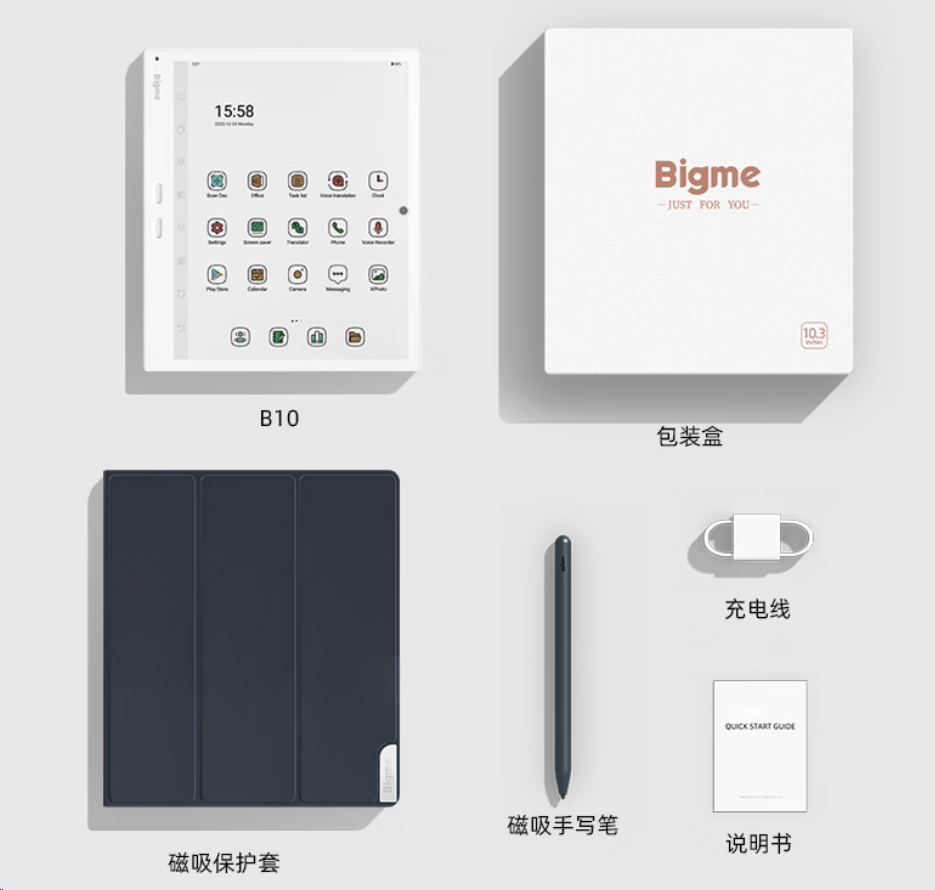
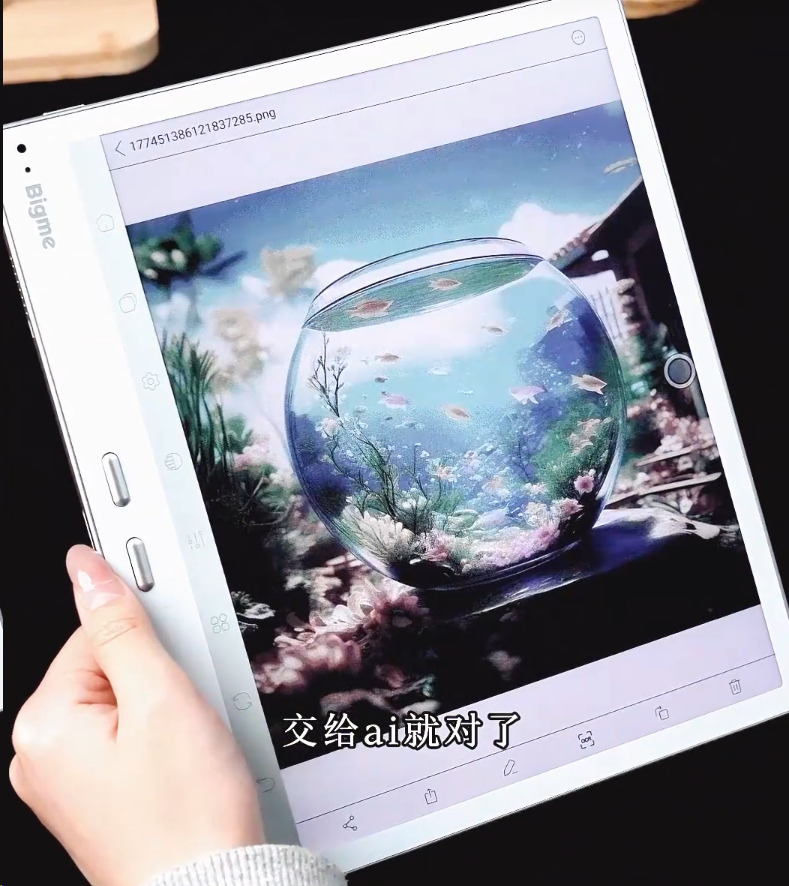
B10 的包装很简洁,主机、手写笔、数据线、说明书。第一眼看到 10.3 英寸屏幕,视觉冲击力很强——比iPad mini的显示面积还大一圈。机身侧面有8个实体按键,背面是磨砂材质,不沾指纹。
重量约500克,比同尺寸的iPad轻不少,但单手长时间握持还是会累,更适合放在桌面或配支架使用。
屏幕显示:Kaleido 3 的真实水平
开机后第一件事,传了几本彩色漫画和 PDF 进去。
先说结论:B10 的彩色显示超出了我的预期,但别拿它和 iPad 比。
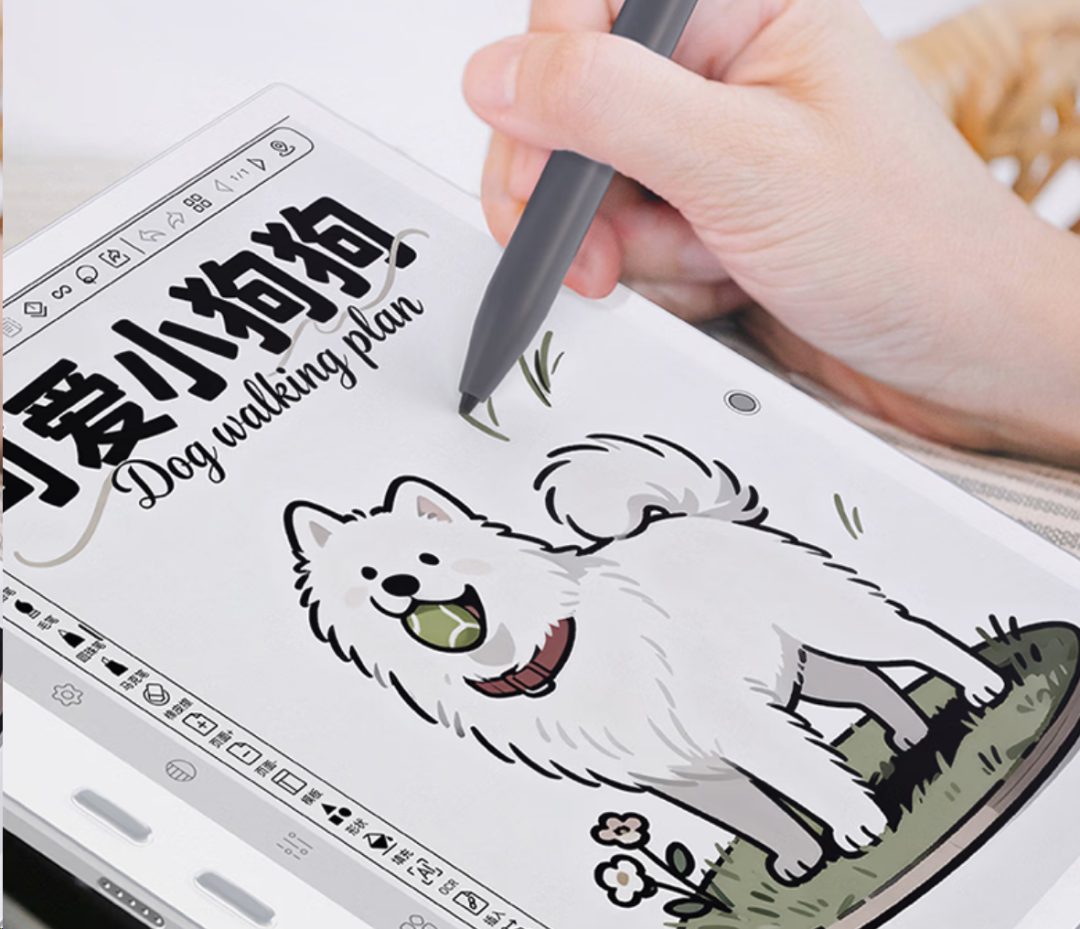
看《航海王》彩漫,路飞的红色马甲、娜美的橙色头发、蓝天白云的背景,颜色区分清晰,不像早期彩墨屏那样“灰蒙蒙一片”。看学术 PDF 里的折线图和热力图,红绿蓝三色线条一目了然,再也不用靠图例脑补。
但它的色彩饱和度大概只有 iPad 的 70%左右。这是墨水屏的物理特性——反射光 vs 发光体。如果你习惯了手机屏幕的鲜艳,需要几天适应期。适应之后,你会觉得这种柔和的感觉更舒服,尤其晚上关灯看书时,眼睛不刺。
黑白模式下的文字锐利度完全不用担心。300 PPI 和 Kindle Oasis 一个级别,看纯文字书时边缘清晰,没有锯齿感。
前光系统:冷暖双色温各 32 级可调。我一般白天不开前光(依靠环境反射),晚上开一半暖光,调到不刺眼但能看清的程度。Kaleido 3 底色偏暗的问题仍然存在,但 B10 的前光补偿做得比较自然,不会出现“屏幕发光像平板”的违和感。
残影控制:正常翻页(阅读模式)基本感觉不到残影。快速滑动或刷网页时会有轻微拖影,设置成每页全刷即可解决。
性能与系统:天玑 1080 够用吗?
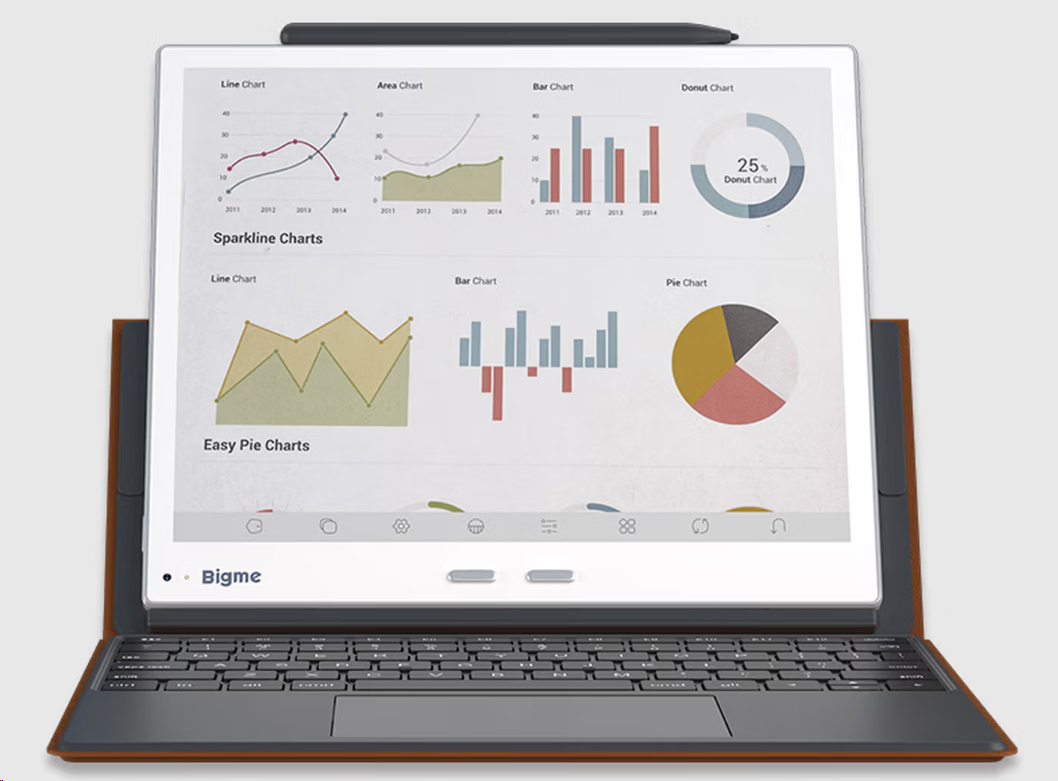
B10 搭载天玑 1080 处理器和 Android 14 系统。这个配置在墨水屏里属于“过剩”。我试过同时打开一个 300MB 的扫描版 PDF、微信读书和笔记 App,切换流畅,没有卡顿。
256GB 内置存储,还支持 microSD 卡扩展到 2TB。我把几十 G 的漫画、论文、电子书全部塞进去,剩余空间绰绰有余。开放系统的好处:我装了微信读书、Kindle App、B 站漫画、京东读书、WPS、知网研学、OneNote……想装什么装什么。
办公功能:会议录音转文字,省了一半时间
B10 支持 4G SIM 卡通话和短信,前后摄像头都有。但我最常用的功能是会议录音转文字。
采访嘉宾时,打开录音笔记,机器自动录音并实时转成文字稿。准确率大概 95%左右(普通话),方言会差一些。整理一篇 3000 字的采访稿,以前要花 1 小时听录音打字,现在只需要 20 分钟校对修改。
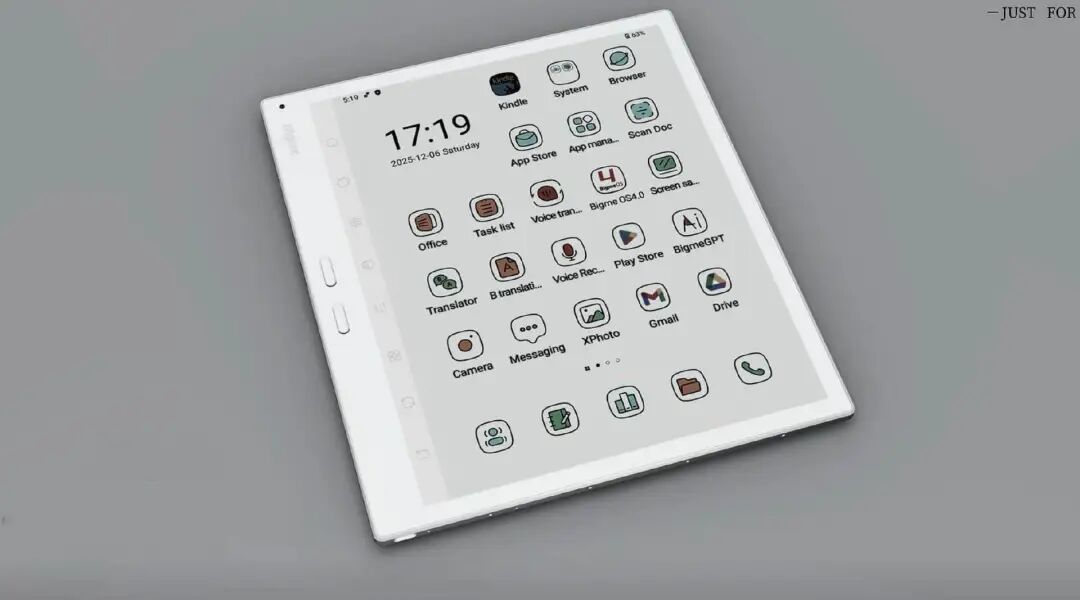
那 8 个实体快捷键,用了就回不去
机身侧面的 8 个电容按键,可以自定义功能。我的设置:
-
上/下:翻页 -
左/右:切换刷新模式 -
中间两个:打开/关闭前光 -
其余两个:打开笔记、返回主页
用熟之后,手指不用离开握持位置就能完成 90%的操作。这个设计对老 Kindle 用户来说简直是情怀加分项。
手写笔:4096 级压感,跟手吗?
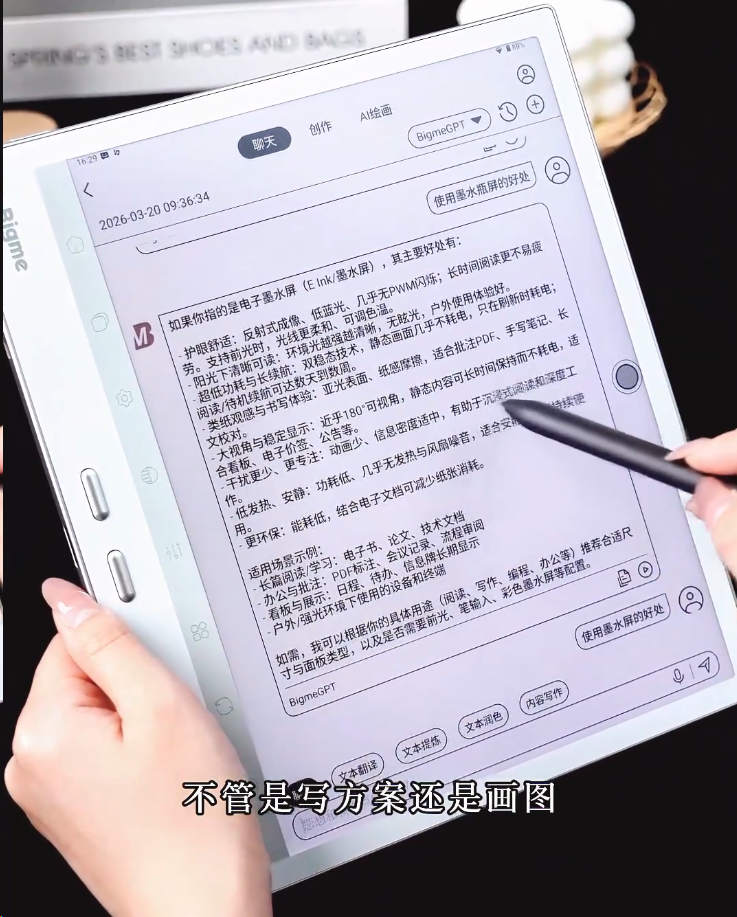
B10 附带的电磁笔支持 4096 级压感,不用充电。书写延迟很低,笔迹跟随自然,笔尖摩擦力调得适中。笔记 App 支持图层和 OCR 文字识别(手写转印刷体)。但和那些深耕办公本多年的品牌相比,Bigme 的笔记应用界面略显朴素,某些功能藏得比较深。

续航:一周一充
大电池加持下,中度使用(每天 2-3 小时阅读+1 小时笔记+偶尔开会录音)能撑 5-7 天。重度使用也能撑 2-3 天。
一句话总结:B10 是目前彩墨屏大屏全能本里性价比很高的选择。它不完美,但该有的功能都有,而且每一项都做到了“够用”甚至“好用”的水平。
第四章:Bigme 其他三款彩墨产品简评
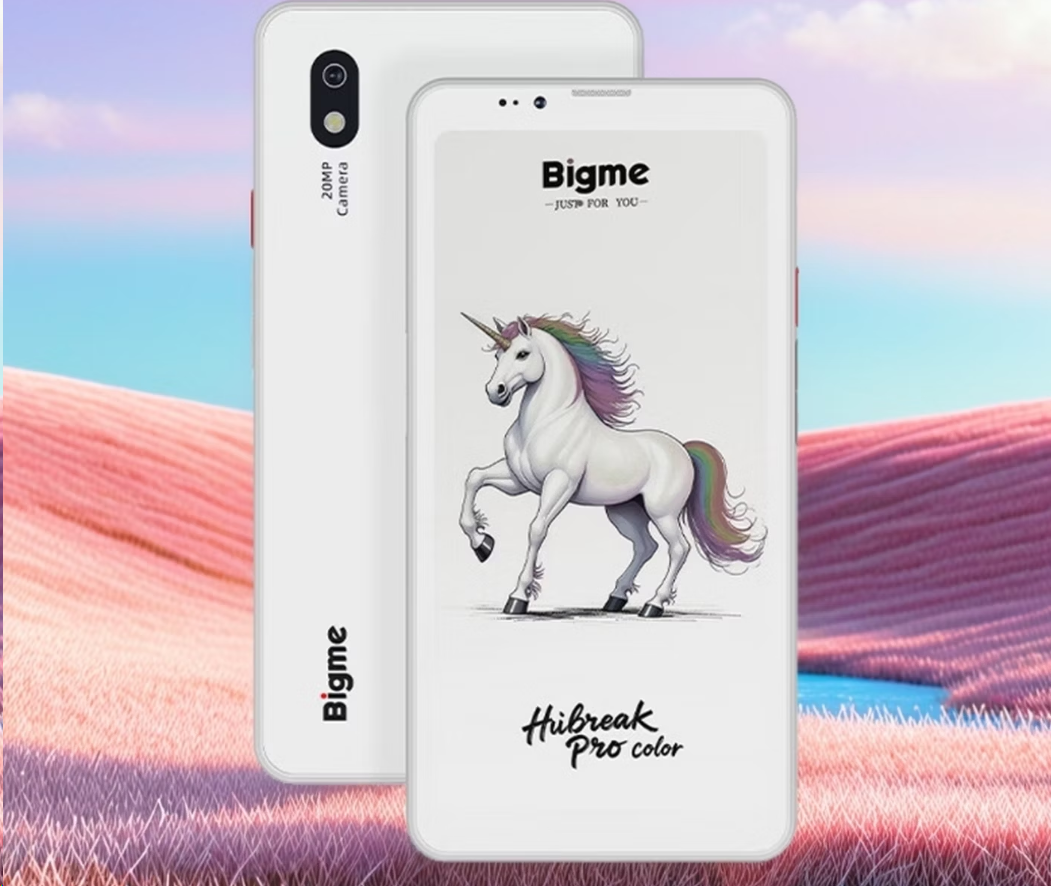
Bigme HiBreak Pro Color:能当主力机用的彩墨手机
定位:把智能手机的通话、5G 上网、App 生态全部塞进护眼彩墨屏。
真实体验:我把它当工作专用机,只装微信、飞书、石墨文档、邮箱、B 站漫画。每天使用 3-4 小时,续航 3 天。看彩漫、回消息、写文档都很舒服。但刷知乎信息流时拖影明显,不适合快速浏览。
适合谁:每天看手机超过 6 小时、眼睛经常酸胀的文字工作者;想要“第二台手机”专门处理工作消息的人。
Bigme B7 Pro:7 英寸“口袋办公本”
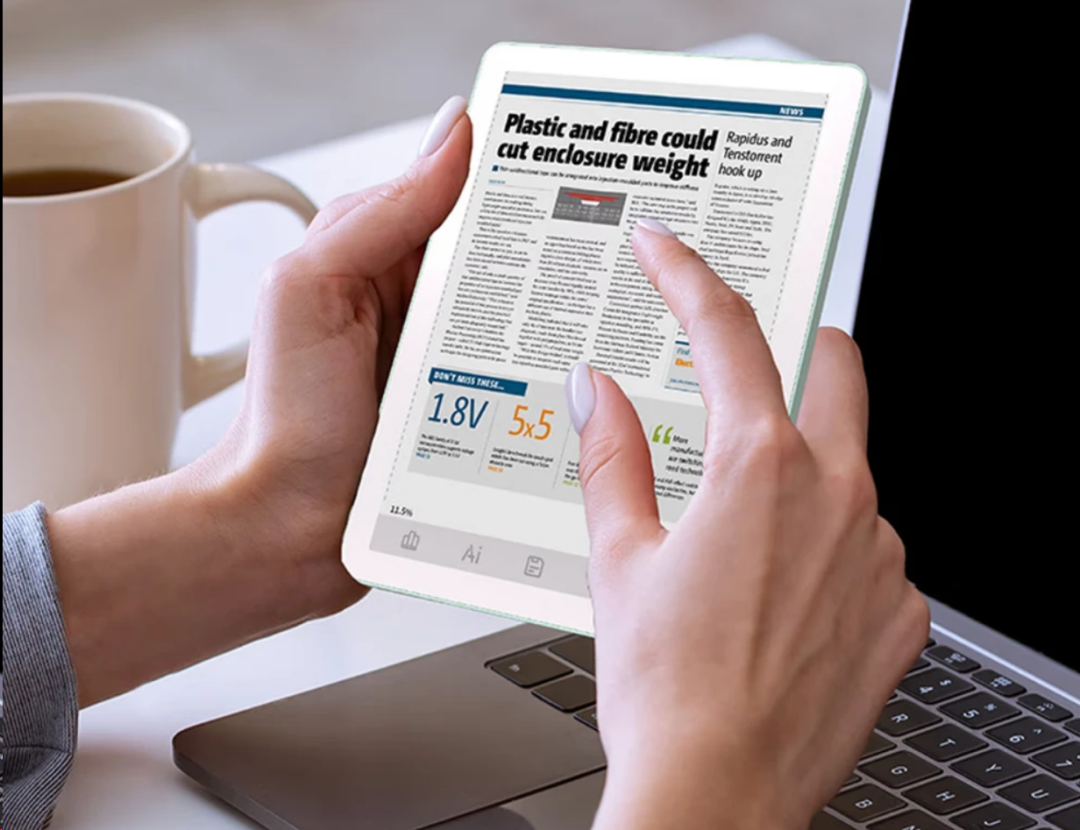
定位:在便携尺寸上,给你接近大屏的配置和手写体验。
真实体验:出差带着它,飞机上看漫画(横屏双页),咖啡馆里批注合同,酒店里写会议纪要。7 英寸屏幕写小字没问题,画思维导图时需要缩放,不如 B10 从容,但胜在便携。
适合谁:经常出差、需要随身做笔记批注的移动办公人群。
Bigme B6:6 英寸口袋彩墨阅读器
定位:最小的彩墨屏,最大的随身自由度。
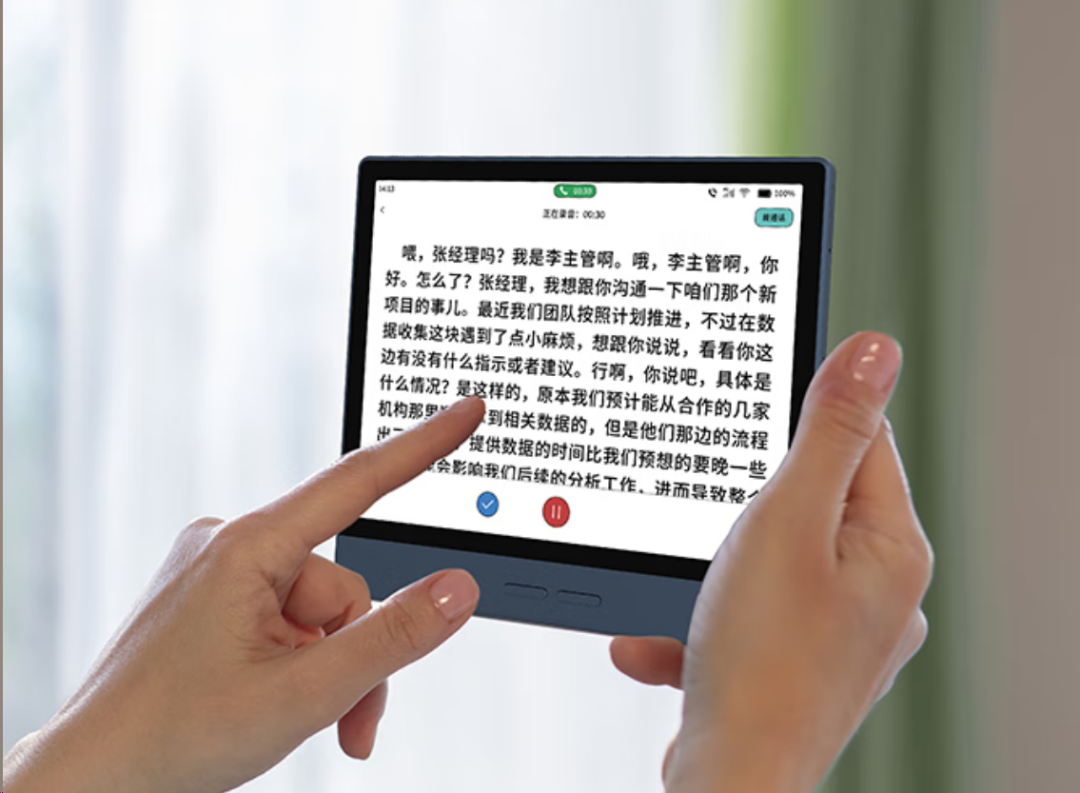
176 克、6.98mm 厚,随手塞进裤兜。看彩色漫画字小,但通勤路上随手翻几页没问题。最意外的是它保留了 AI 语音转文字功能,支持 37 种语言和 27 种方言,甚至可以作为随身录音笔
适合谁:已经有了大屏彩墨或 iPad,只想添一台通勤阅读器的人。
第五章:买前最后一问——我到底该选哪一款?
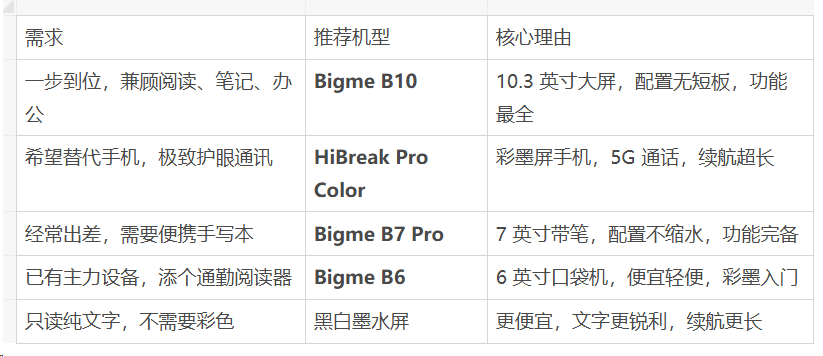
-
如果你只买一台,推荐 B10。 它是 Bigme 产品线里最均衡、最能打的一台。10.3 英寸的沉浸感是小屏给不了的,手写和办公功能又让它不止是阅读器。 -
如果你追求极简,希望少带一台设备,那 HiBreak Pro Color 值得考虑。把手机和彩墨合二为一,出门只带一部就够了。 -
如果你预算有限或者只想体验彩墨,B6 是最低门槛的选择。
尾声:彩色墨水屏的“高考季”已经到来
Kaleido 3 之后的彩墨屏,已经跨越了“能用”的门槛,进入了“好用”的阶段。它不是革命性的科技狂欢,而是一步一个脚印的技术积累。从实验室到量产,从 Triton 到 Kaleido 3,这条路走了二十多年。
现在的你,如果属于前面说的那三类人之一,入手彩墨屏不会后悔。如果你还不确定,去线下店摸一摸真机,感受一下色彩和刷新,再做决定。
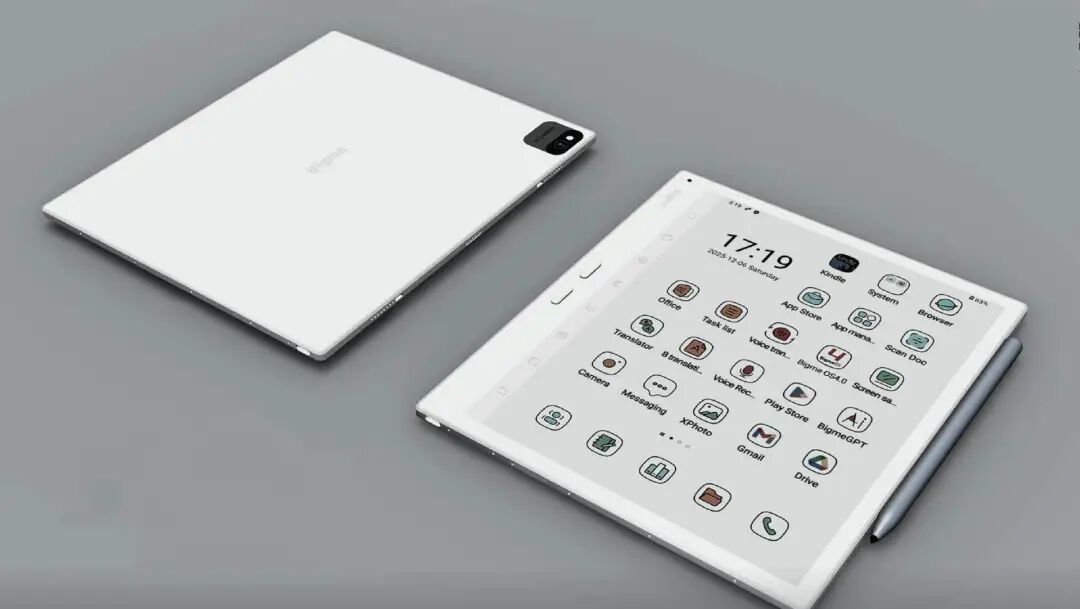
眼睛是自己的,值得给它一点颜色看看。
附:Bigme 四款主流产品京东链接
-
Bigme B10 10.3 英寸智能办公本: -
Bigme HiBreak Pro Color 彩墨屏手机: -
Bigme B7 Pro 智能办公本: -
Bigme B6 彩墨屏阅读器:、
Original link: https://mp.weixin.qq.com/s/a_0eep78Hlk7gepyl4lJGA
From the 6-inch pocket device to the 10.3-inch office notebook, I've thoroughly tested the entire Bigme lineup. This article skips the fluff and focuses on real impressions.
First, some background: I've accumulated three e-ink devices over the years. The first was a Kindle Keyboard from more than ten years ago, then I upgraded to a Kindle Paperwhite, and later picked up a domestic open-system black-and-white e-ink reader. Earlier this year, I finally bit the bullet and went for a color e-ink device—the Bigme B10.
Why did I drag my feet for so long? Because I'd tried someone else's early color e-ink—colors washed out like a faded watercolor, page-turn ghosting made me dizzy, and it cost twice as much as a black-and-white model. Back then, my conclusion was blunt: "Wait a bit longer."
And wait I did—until 2023, when Kaleido 3 became widely available. I went to an offline store to try the real device, and found that color saturation, refresh speed, and ghosting control had all been completely transformed. That's when I placed my order.
Over the past half year, I not only picked up the B10, but also tried Bigme's HiBreak Pro Color (color e-ink phone), B7 Pro (7-inch writing tablet), and B6 (6-inch pocket reader). Bigme is one of the brands with the most comprehensive color e-ink product line today, covering everything from 6 to 10.3 inches, from pure reading to hands-free calling and handwriting.
This article will lay out the real experience, applicable scenarios, pros and cons of each model. If you're wondering whether to go color or which model to buy, you should find your answer after reading.
Chapter 1: Where Has Color E-Ink Technology Reached?
From "Unusable" to "Worth Using"
Color e-ink R&D started almost simultaneously with black-and-white, but due to enormous technical difficulty, it stayed locked in laboratories for years. In 2010, E Ink launched its first commercial color screen, "Triton," but it suffered from washed-out colors, slow refresh, and exorbitant prices, meeting with cold market reception.
The real turning point came in 2019 with the Kaleido architecture. It made a smart choice: instead of reinventing the wheel, it applied a color filter layer on top of mature black-and-white screens. In 2021, Kaleido Plus arrived; in 2023, Kaleido 3 followed. Now offering 4,096 colors, color saturation has nearly doubled compared to the first generation, and ghosting control has reached usable levels.
Domestic manufacturers seized this window. Data from the first half of 2025 showed that color e-reader shipments grew over 60% year on year. For every 10 e-ink devices sold, one is color. This number tells one thing: color is no longer a geek toy—it's a real, existing demand.
So, Is Kaleido 3 Any Good? (Plain Language Version)
Many people ask me: How does Kaleido 3 compare to a smartphone screen?
My answer: Don't compare them. Smartphone screens are self-illuminating; e-ink screens reflect light. One is like looking at a light bulb, the other like looking at paper. Kaleido 3's color saturation is roughly at the level of a newspaper's color section—not as vivid as glossy magazine paper, and nowhere near OLED. But it's eye-friendly—no flicker, no blue light, and your eyes won't ache even after a full day of reading.
Kaleido 3 specs: 300 PPI in black-and-white mode, 150 PPI in color mode, displaying 4,096 colors. Switch to black-and-white mode for pure text—sharpness matches top-tier monochrome e-ink; switch to color mode for comics, charts, and magazines, where you'll notice slight graininess but it's more than sufficient.
One objective fact: Kaleido 3's screen background is slightly darker than monochrome screens because the color filter blocks some light. So you need to turn on the front light in low-light conditions. Fortunately, modern dual-color-temperature front lights are finely adjustable—a touch of warm light can offset the darkness without compromising the "paper-like" feel.
Another Technical Route: Gallery
By the way, there's another technology called the Gallery approach. It uses no color filter—instead, it places cyan, magenta, yellow, and white pigment particles directly inside capsules. Colors are more accurate with no resolution loss. But refresh speed is slow—turning a page takes several hundred milliseconds, making it unsuitable for fast reading. It's currently used mainly in digital billboards, art frames, and other static scenarios. Reader users don't need to worry about it for now.
One-sentence summary: For daily comic reading, PDF browsing, and annotating, Kaleido 3 is more than enough. If you want art-grade color experience, wait another two years.
Chapter 2: Before Buying Color E-Ink, Clarify These Three Things
Are You One of These Three Types of People?
Color e-ink isn't needed by everyone. The following three types of users will see a clear improvement:
Comic/magazine/picture book enthusiasts: Color storyboards, character skin tones, and scene lighting no longer require mental reconstruction from grayscale. Reading the full-color editions of *Slam Dunk* on the B10 delivers an emotion a black-and-white screen simply can't provide.
Office/academic users: When annotating PDFs, highlighting key points in different colors lets you grasp priorities at a glance. Reviewing contracts or revising papers—color annotation boosts efficiency by at least 30%.
Parents: For children's e-books featuring maps, scientific diagrams, and picture books, color aids comprehension and memory, and it's far gentler on the eyes than an iPad.
If you only read plain-text novels or mainly use the audiobook feature, there's no need to spend an extra few hundred to a thousand yuan on color. Monochrome screens deliver sharper text (300 PPI vs. 150 PPI), longer battery life, and lower prices.
Three Core Specs to Watch
Color e-ink specs on the market can be overwhelming, but three factors truly determine the experience:
Screen size: For comics, PDFs, and color magazines, go straight for 10.3 inches. Portable 7-inch-and-under models suit quick reads during commutes, but frequent zooming for spread comics or A4 documents makes for a frustrating experience.
PPI: At least 250 in black-and-white mode and at least 150 in color mode. Avoid anything below 150 (older Kaleido or off-brand solutions fall into this trap). Kaleido 3 is uniformly 300 B/W and 150 color—meets the standard.
Operating system: Must be open Android. Color reading resources are scattered across various apps—Bilibili Comics, WeChat Read, JD Reading, CNKI Research, and more. A closed system can't run third-party apps, which cuts the value of a color screen by 30%.
As for handwriting, 4G, and fingerprint sensors, buy based on your own needs. But if the three specs above aren't met, don't be swayed by any other advertised features.
Chapter 3: In-Depth Review—Why the Bigme B10 Became My Primary Device
First Impressions Out of the Box
The B10's packaging is minimalist: the device, a stylus, a USB cable, and a manual. The first thing that strikes you is the 10.3-inch screen—it's visually impressive, noticeably larger than an iPad mini's display area. Eight physical buttons line the side, and the matte-finish back resists fingerprints.
Weighing about 500 grams, it's considerably lighter than a same-size iPad, but holding it one-handed for extended periods still gets tiring. It's better suited to desk or stand use.
Screen Display: The True Level of Kaleido 3
The first thing I did after powering on was transfer several color comics and PDFs onto it.
Bottom line first: The B10's color display exceeded my expectations, but don't compare it to an iPad.
Reading *One Piece* color comics, Luffy's red vest, Nami's orange hair, and the blue-sky background all render with clear color separation—unlike early color e-ink that looked like a gray blur. In academic PDFs, line charts and heat maps with red, green, and blue lines are instantly distinguishable; no more guessing from legends.
Its color saturation is roughly 70% of an iPad's, however. That's the physics of e-ink—reflected light versus self-illuminating displays. If you're used to vibrant phone screens, you'll need a few days to adjust. Once adapted, you'll find this softer look more comfortable, especially when reading with the lights off at night—no glare.
Text sharpness in black-and-white mode is absolutely no concern. At 300 PPI, it's on par with the Kindle Oasis—crisp edges with no jaggedness when reading pure text.
The front light system offers 32 levels each of cool and warm tones. I usually don't use the front light during the day (relying on ambient reflection) and set it to half warm at night—bright enough to read comfortably without straining. The Kaleido 3's slightly dark background issue persists, but the B10's front light compensation feels natural, avoiding the jarring "glowing tablet" effect.
Ghosting control: Normal page turns (reading mode) barely register any residual image. Quick scrolling or web browsing shows slight ghosting, which can be resolved by setting full-page refresh per page.
Performance & System: Is the Dimensity 1080 Enough?
The B10 is powered by a Dimensity 1080 processor and Android 14. This config is "overkill" for an e-ink device. I tested opening a 300MB scanned PDF, WeChat Read, and a notes app simultaneously—switching was smooth with no lag.
256GB built-in storage, expandable via microSD up to 2TB. I stuffed tens of gigabytes of comics, papers, and e-books onto it, with plenty of space remaining. The open system is a bonus: I installed WeChat Read, Kindle App, Bilibili Comics, JD Reading, WPS, CNKI Research, OneNote—and I can install anything I want.
Office Features: Meeting Recording Transcription Saves Half the Time
The B10 supports 4G SIM cards for calls and SMS, with both front and rear cameras. But my most-used feature is meeting recording-to-text.
When interviewing guests, I open the recording notes app, and the device automatically records and transcribes in real time. Accuracy is around 95% for Mandarin (dialects perform worse). Transcribing a 3,000-word interview previously took an hour of listening and typing; now it takes just 20 minutes of proofreading and editing.
Those 8 Physical Shortcut Keys—Once You Use Them, You Can't Go Back
The eight capacitive buttons on the device's side are customizable. My setup:
Up/Down: Page turn
Left/Right: Toggle refresh mode
Center two: Toggle front light on/off
Remaining two: Open notes / Return to home
After getting used to it, I can complete 90% of operations without moving my grip. For former Kindle users, this design is a genuine nostalgia bonus.
Stylus: 4,096-Level Pressure Sensitivity—Does It Feel Natural?
The included electromagnetic pen supports 4,096 levels of pressure sensitivity and requires no charging. Writing latency is low, the stroke follows naturally, and tip friction is well-tuned. The notes app supports layers and OCR (handwriting-to-print conversion). But compared to brands that have polished office-note apps for years, Bigme's notes interface feels comparatively plain, with some features buried deep.
Battery Life: One Charge Per Week
With its large battery, moderate use (2–3 hours of reading + 1 hour of notes + occasional meeting recording daily) lasts 5–7 days. Heavy use still manages 2–3 days.
One-sentence summary: The B10 is one of the best-value options among large-screen color e-ink all-rounders. It's not perfect, but it has every feature you need, each reaching "sufficient" or even "great" quality.
Chapter 4: Brief Reviews of Bigme's Other Three Color E-Ink Products
Bigme HiBreak Pro Color: A Color E-Ink Phone Capable of Being Your Main Device
Positioning: Packing smartphone calling, 5G internet, and the full app ecosystem into an eye-friendly color e-ink screen.
Real-world experience: I use it as a dedicated work device, installing only WeChat, Feishu, Shimo Docs, email, and Bilibili Comics. Three to four hours of daily use, three-day battery life. Comfortable for reading color comics, replying to messages, and writing documents. But browsing Zhihu's feed shows obvious ghosting—unsuitable for fast scrolling.
Who it's for: Text workers who spend over six hours daily on their phones and suffer frequent eye strain; anyone wanting a "second phone" dedicated to handling work messages.
Bigme B7 Pro: A 7-Inch "Pocket Office Notebook"
Positioning: Delivering near large-screen configuration and handwriting experience in a portable form factor.
Real-world experience: I take it on business trips—reading comics in landscape dual-page mode on the plane, annotating contracts at cafés, and writing meeting notes in hotel rooms. The 7-inch screen handles small handwriting fine, but mind-mapping requires zooming and feels less comfortable than the B10. Its advantage is portability.
Who it's for: Frequent travelers and mobile professionals who need to take notes and annotate on the go.
Bigme B6: A 6-Inch Pocket Color E-Ink Reader
Positioning: The smallest color e-ink screen with maximum carry-around freedom.
Weighing just 176 grams and 6.98mm thick, it slips effortlessly into your pants pocket. Color comics have small text, but flipping through a few pages during your commute is no problem. The surprising highlight is its AI voice-to-text feature, supporting 37 languages and 27 dialects—it can even double as a portable voice recorder
Who it's for: People who already own a large-screen color e-ink or iPad and just want a commuter-side reader.
Chapter 5: The Final Pre-Purchase Question—which One Should You Choose?
If you're buying only one device, I recommend the B10. It's the most balanced and capable model in Bigme's lineup. The immersive 10.3-inch experience is something smaller screens can't match, and its handwriting and office features make it more than just a reader.
If you pursue minimalism and want to carry fewer devices, the HiBreak Pro Color is worth considering. Combining a phone and color e-ink into one means you only need to carry a single device when heading out.
If you're on a budget or just want to try color e-ink, the B6 is the lowest-threshold option.
Epilogue: The "Gaokao Season" for Color E-Ink Has Arrived
Post-Kaleido 3, color e-ink has crossed the "usable" threshold and entered the "pleasant to use" stage. It's not a revolutionary tech spectacle but steady, incremental engineering progress. From the lab to mass production, from Triton to Kaleido 3, this journey spanned over twenty years.
If you're one of the three user types I mentioned earlier, you won't regret picking up a color e-ink device. If you're still unsure, visit an offline store to hold the real device, experience the color and refresh firsthand, and then decide.
Your eyes are yours—give them something worth seeing.
Appendix: JD.com Links for Bigme's Four Mainstream Products
Bigme B10 10.3-Inch Smart Office Notebook:
Bigme HiBreak Pro Color Color E-Ink Phone:
Bigme B7 Pro Smart Office Notebook:
Bigme B6 Color E-Ink Reader: