

https://www.dtszyy.com/azrj/3743.html
下载好后,把安装包拖入到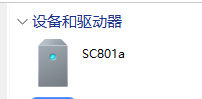 的download文件夹里面。
Since the device purchased on Xianyu did not have a flashed operating system, and Tencent has discontinued its service, it is impossible to connect to the internet to download related software. I immediately noticed that WeChat Reading was stuck and unresponsive as soon as it was connected to the network.
It's completely useless, so I decided to abandon it.
Using the original system to transfer books via Bluetooth is not inconvenient at all, and you can even connect a USB cable to transfer a large number of books directly. As a Kindle user, this is a familiar operation for me.
I didn't expect to tinker with it, but after seeing the WeChat Reading interface on Xiaohongshu, I became quite interested.
The display looks surprisingly good.
Although my WeChat Reading time is only 39 hours, I want to have one too (laughs). After solving this, I will sort out the process. If it can help some friends, that would be my honor.
First, ensure that the pocket reader data cable is connected to the computer and is recognized. If not, try a different cable.
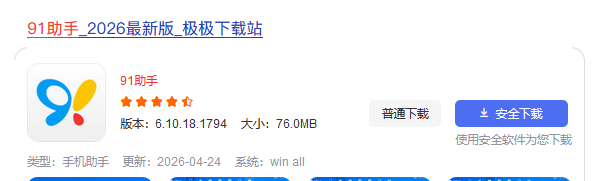
The first step is to download 91 Assistant on the computer. Search for it on Baidu and click standard download.
Although 91 Assistant has also been discontinued, that doesn't matter; as long as it installs, it can be used (laughs).
After installation, the computer system will block it. We allow it, and remember not to put this disposable software on the C drive (as mentioned, avoid the C drive as much as possible to prevent red warnings).
Since it is also an old tool, the installation is very slow. The 0% progress bar stays there for a while; you need to click the installation box, wait for the white screen, and then the progress bar will move.
You do not need to log in after installation is complete.
Next, download an e-ink version of WeChat Reading on the computer. I downloaded the latest version, which runs smoothly. Here is the download link.
https://www.dtszyy.com/azrj/3743.html
After downloading, drag the installation package into the download folder.
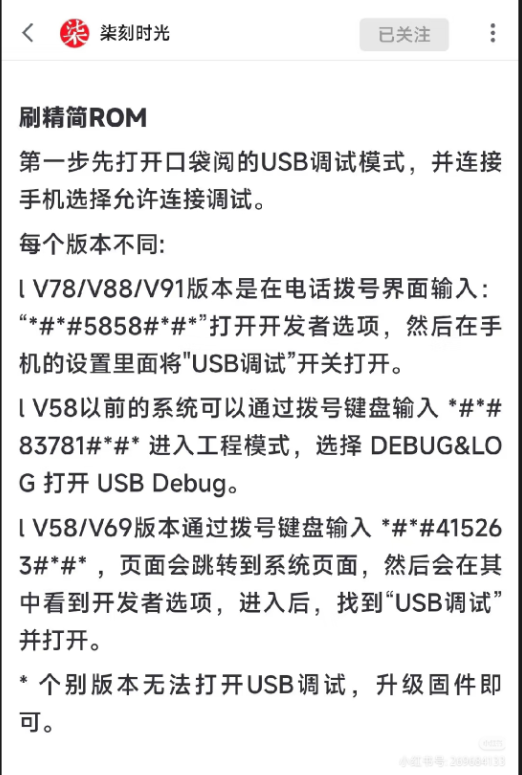
Now, let's adjust the pocket reader. Check the model number in the settings, and then follow the operations shown in the images below.
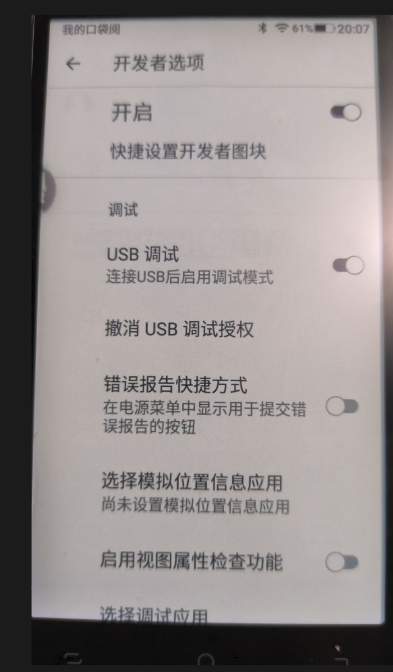
Enter the developer mode and enable USB debugging.
Without enabling this, 91 Assistant will not recognize the device once the data cable is connected, which is where I got stuck for a long time.
Once 91 Assistant recognizes the device, you can directly install it from the download folder.
Perfect! The display is excellent.
I was also thinking of setting up Tomato Novel, but considering that Tomato Novel is a demanding app for e-ink screens, I decided not to push this old 2019 device too far.
Original link: https://mp.weixin.qq.com/s/0x1_gJSkqKD_T0TVppiYrQ