
原文链接:https://mp.weixin.qq.com/s/tE13fUdFLI1j26wUJ8Xxkw
破解kindle传书不带封面的前提是:下载的时候有封面。问题好解决,用calibre就行。calibre是完全free的,手机和电脑都能安装,还可以修改电子书的书名和作者名。强迫症友好,十分建议尝试。
【下面是具体的传书方法】

【以上图片所示的传书方法(文字总结)↓↓】
1.baidu搜calibre,找到calibre网zhi点击进入
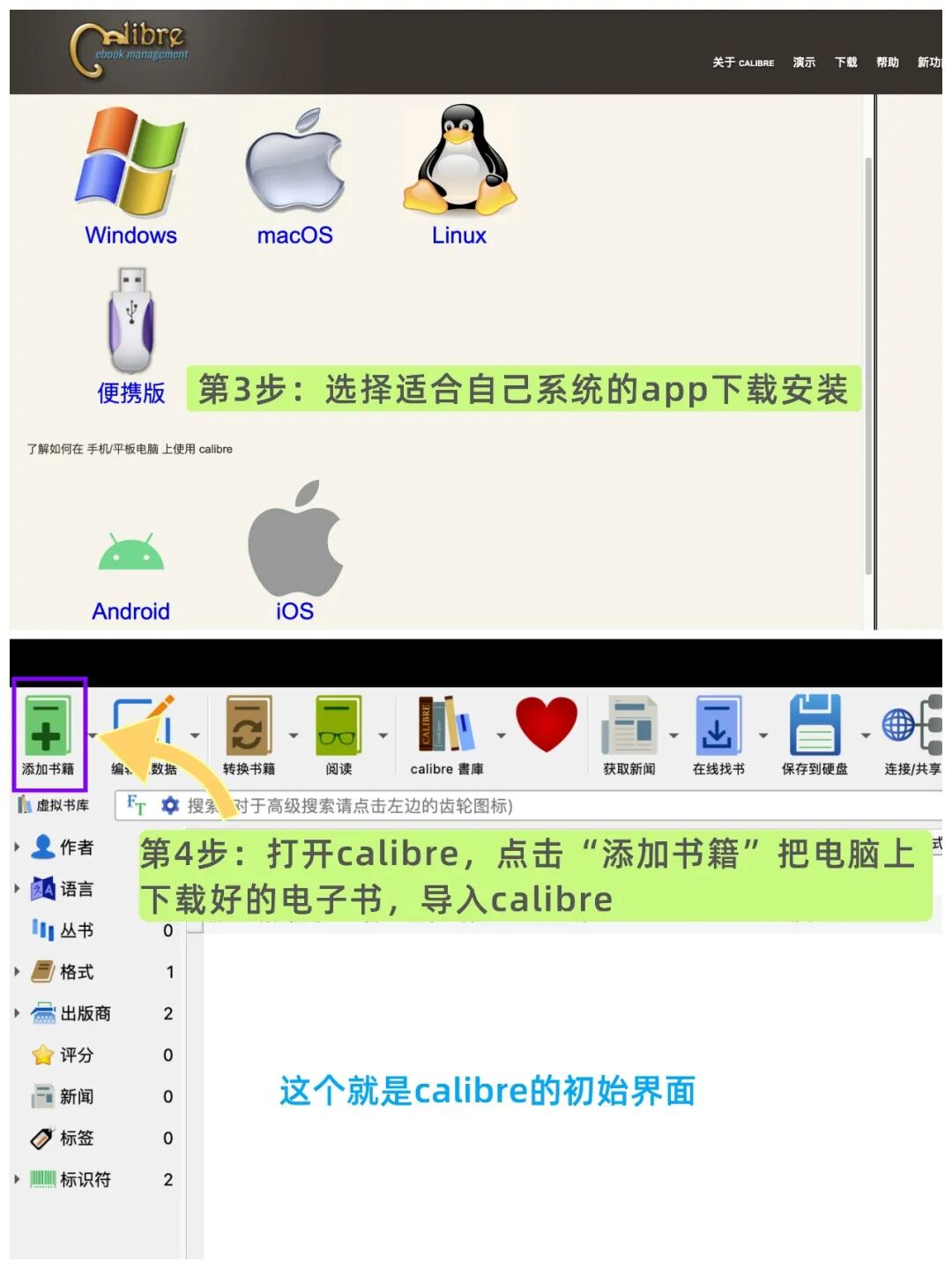
2.进入网zhi后,找到下载页面,点击进入
3.选择适用于自己系统的版本下载安装
4.安装后打开,找到“添加书籍”,将下载到电脑上的电子书传到calibre中(传的很慢,要多等会)
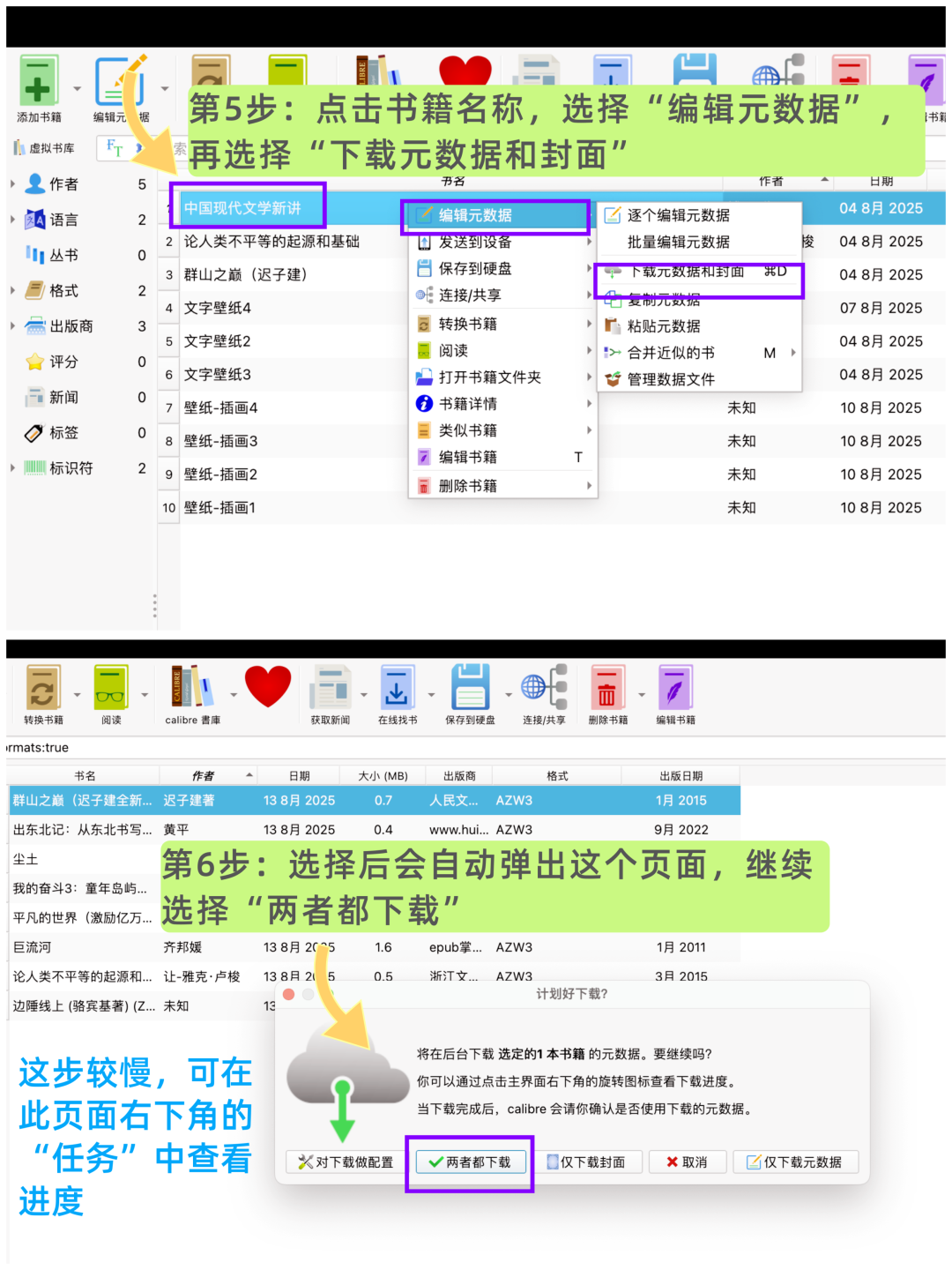
5.把电子书传到calibre里后,再点击“书名”→“编辑元数据”→“下载元数据和封面”
6.过程中会自动弹出选择页面,点击“两者都下载”
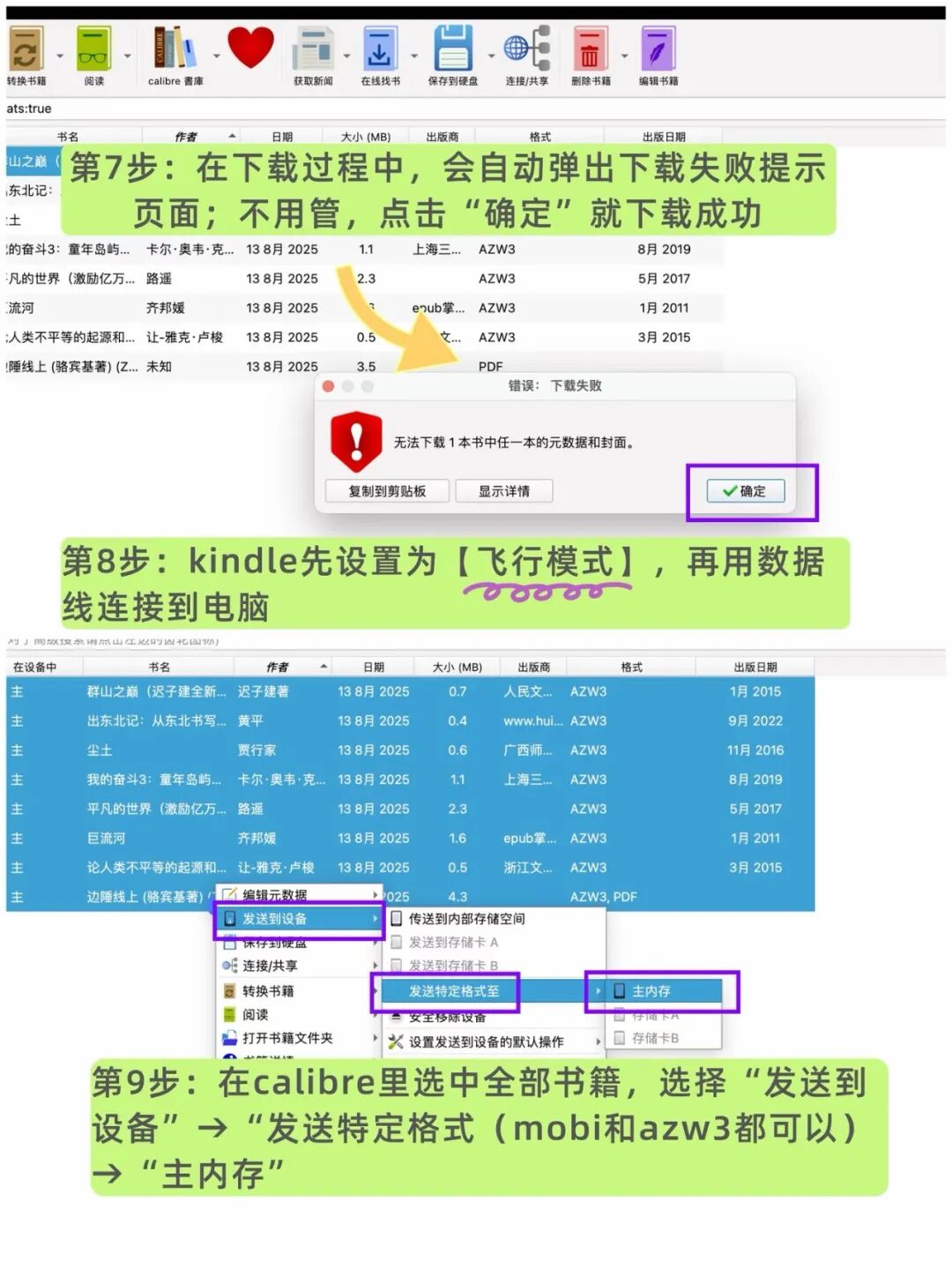
7.下载时会自动弹出“下载失败”页面,不用管,点击“确定”就下载成功了
8.拿出kindle,先设置为【飞行模式】(一定要设!)再用数据线连接到电脑
9.在calibre中选中要传的全部电子书,选择“发送到设备”→“发送特定格式”→主内存
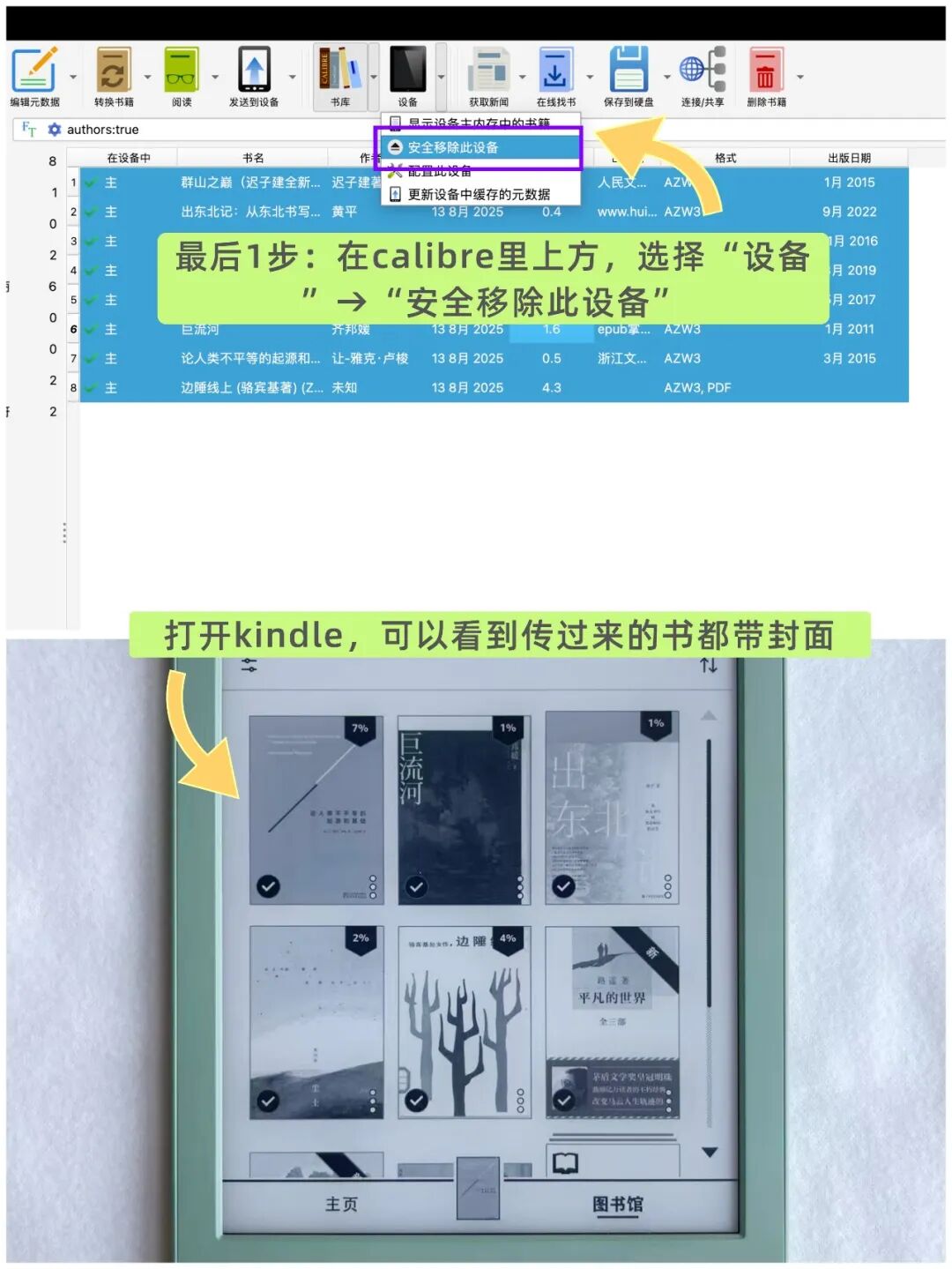
10.在calibre上方,选择“设备”→“安全移除此设备”
最后,打开kindle,就能看到带封面的电子书了。
Original link: https://mp.weixin.qq.com/s/tE13fUdFLI1j26wUJ8Xxkw
The prerequisite for successfully transferring a Kindle book with its cover is that the original download must include the cover. This issue is easily solved using Calibre. Calibre is completely free, can be installed on both mobile and computer, and allows for the editing of book titles and author names — a boon for perfectionists that I highly recommend trying.
[Below is the specific transfer method]
[Summary of the transfer method shown in the images above]
1. Search for Calibre on Baidu; find the Calibre website and enter.
2. Navigate to the download page from the website and enter.
3. Select the version appropriate for your operating system and install it.
4. Open the installed Calibre, locate “Add Books”, and transfer the downloaded ebook to Calibre (this may take a while).
5. Once the ebook is in Calibre, click on the book title → “Edit Metadata” → “Download Metadata and Cover”.
6. A selection prompt will appear; choose “Download both”.
7. During download, a “Download failed” message may pop up — ignore it and click “OK” to proceed; the download should be successful.
8. Take out your Kindle, set it to Flight Mode (essential!), then connect it to your computer via USB.
9. In Calibre, select the ebook(s) to transfer, then choose “Send to Device” → “Send specific format” → Main Memory.
10. Finally, in Calibre’s top menu, go to “Device” → “Safely eject this device”.
Open your Kindle to see the book(s) with their covers attached.